Micro:bitMakeCodeExplorersFirst circuit

Wire game: don't touch the wire

Bend a wire, clip it to the Micro:bit, and guide a loop along it with a steady hand. Touch the wire and the Micro:bit beeps: it counts your touches, takes your lives, and measures your time. Your first circuit, with crocodile clips.

QR code to this pageScan to open

What you learn

9 things on the Explorers: the first circuit path: open to see them

On the learning path: Explorers: the first circuit with crocodile clips, and a game that counts

Programming

  • forever checks the wire again and again
  • if the pin is pressed, beep; else, stay quiet
  • touches, lives and the start time live in variables from story 2
  • Button A starts a new game from story 2
  • A pause makes one touch count once; running time measures the game from story 2

Electronics

  • The loop touches the wire: the circuit from P1 to GND is closed

Thinking and making

  • Build the wire, test the beep, then make the game
  • No beep? Follow the loop: pin, clip, wire, loop, clip, GND

AI in the loop

  • An AI idea for a harder game: test it on your own wire from story 4

1See it in action

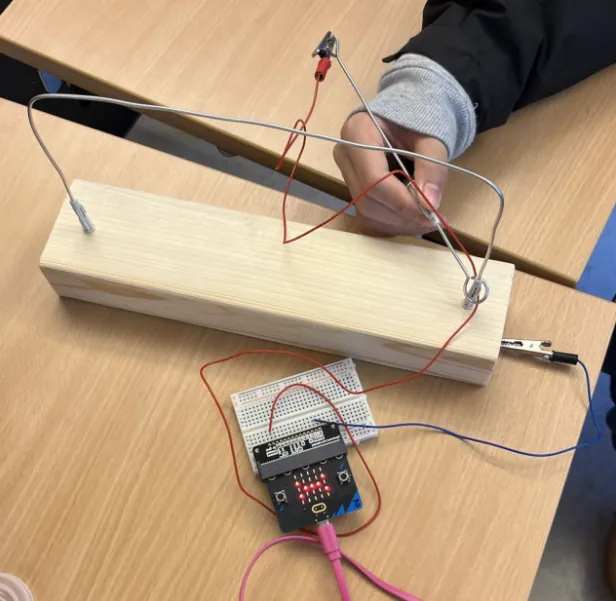
A wire game made in class: a bent wire on a wooden block, a loop on a wire handle, crocodile clips to a Micro:bit
Made in class a wooden block and a bent wire

The wire game in action: the Micro:bit shows a sad face after a touch
Touched the Micro:bit shows it
On screen: the loop moves along the wire, touches it, and the Micro:bit counts down the lives
Three lives story 3, on screen

2Parts you need

Micro:bit V2 and a USB cable
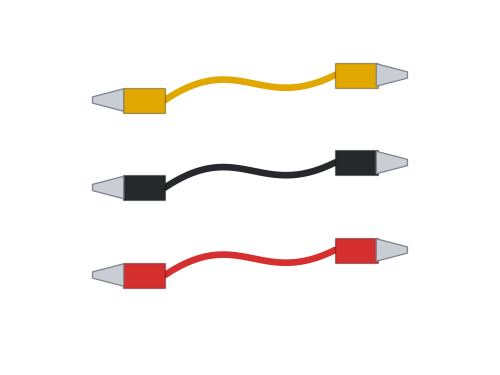
3 crocodile clip leads
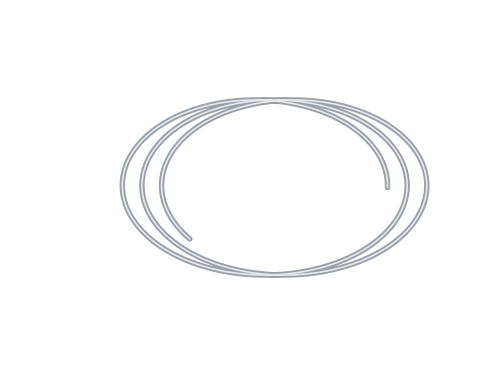
Bare stiff wire, about 60 cm
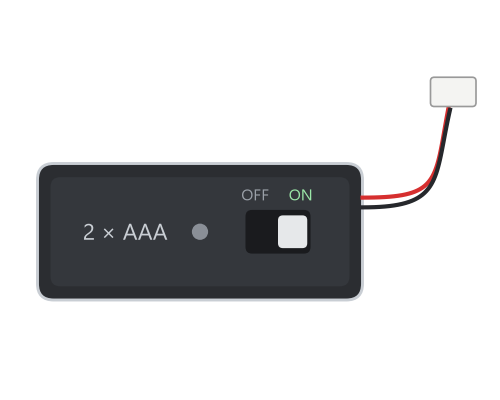
Battery pack with ON/OFF switch (to play anywhere)

And: a block of wood or a thick cardboard box for the base, a short piece of the same wire for the loop and its handle, tape, aluminium foil for the finish pad (story 4), and pliers to bend the wire.

The wire must be bare metal. Painted coat hangers do not work: sand the paint off, or use garden wire without coating.

3Learn the basics

Read these before you start, or come back when you need them.

P1 GND open: a gap not pressed P1 GND closed: a touch P1 is pressed

A circuit is a closed loop

Electricity only flows when it can go all the way round: out of one pin, through the parts, and back into another pin. A gap anywhere stops it: the circuit is open. A switch, a button or a touch closes the gap: the circuit is closed.

Wire game: the wire on P1, the loop on GND. When metal touches metal, the loop is closed and pin P1 is pressed is true.

More: why it works, and what stops it
  • The pin listens. Inside the Micro:bit a very weak pull keeps P1 "up". When P1 touches GND, the pin is pulled down, and the Micro:bit says pressed. Your finger on P1 and GND together works too, a little.
  • Only metal that is bare. Paint, plastic coating and tape do not let electricity through. Sand the ends and use bare wire.
  • Crocodile clips: one clip on the ring, the other on the metal. Check that the jaws bite on metal, not on insulation.
  • Safe: the Micro:bit works with 3 V. You cannot feel it, and touching the wire is safe.

No reaction? Follow the loop with your finger: pin, clip, wire, loop, clip, GND. Where is the gap?

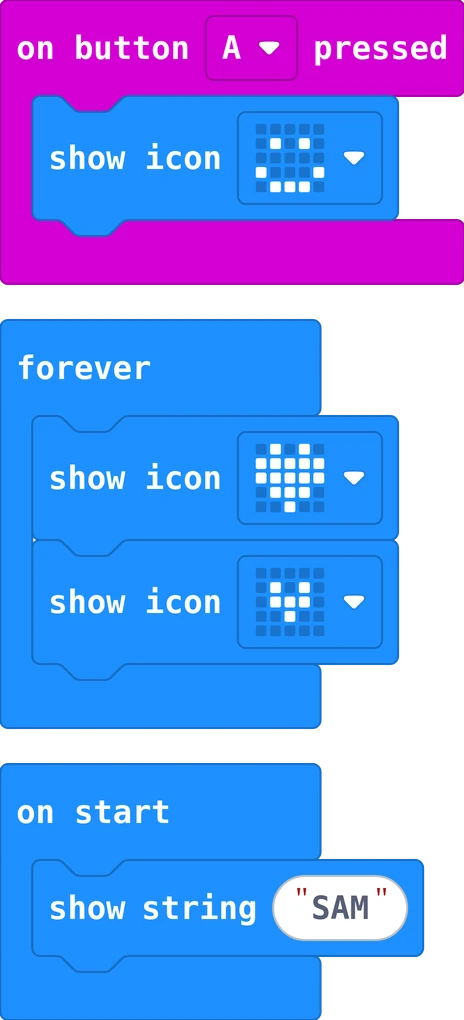
Real MakeCode blocks: on button A pressed shows a smile, forever shows a big and a small heart again and again, on start shows the name SAM once

Blocks: when does my program run?

In MakeCode you drag blocks from the colourful list and snap them together. The outer block decides when the blocks inside run: on start runs them once, when the Micro:bit starts. forever runs them again and again. on button A pressed runs them every time something happens: that is an event.

Inside a block, the steps run from top to bottom, one after the other.

More: tips for your first program
  • A block must click in. A grey, loose block does nothing: drag it until it snaps into place.
  • Find blocks by colour. Basic (blue) shows things, Input (pink) has the buttons and shake, Music (red) plays sounds.
  • Try it first on the screen. The simulator on the left runs your program: click A and B there.
  • Undo with the arrow at the bottom, or press Ctrl and Z.
  • Text in quotes. Click in the white field of show string and type your own words.
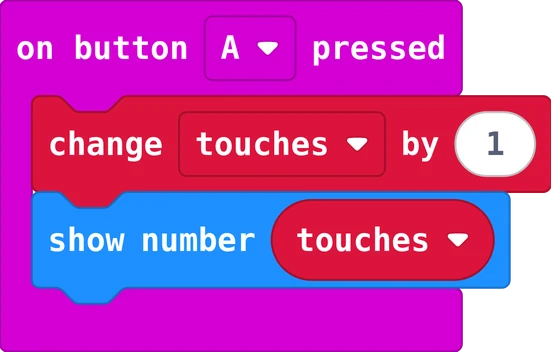
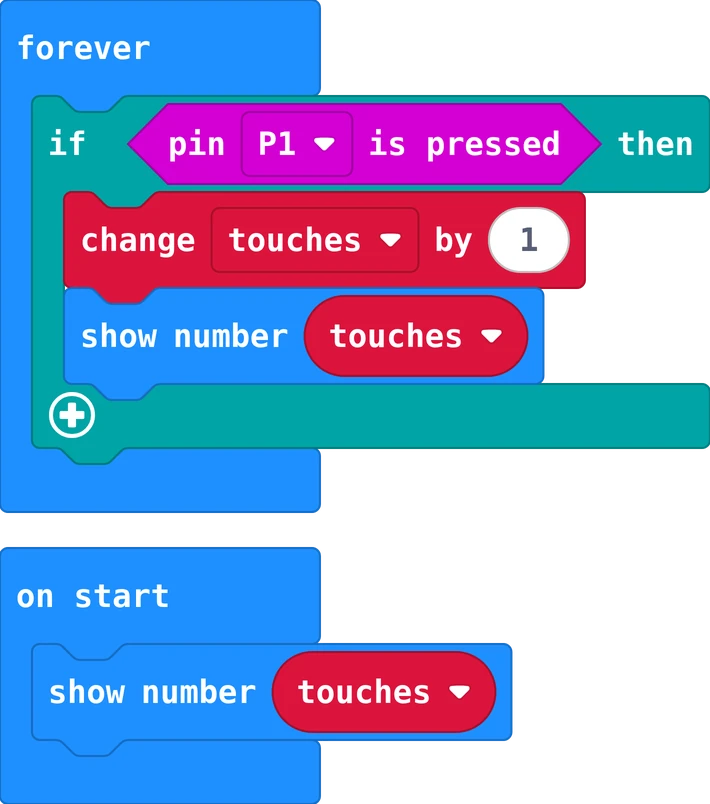
Real MakeCode blocks: on button A pressed, change touches by 1, then show number touches

Variables: boxes that remember

A variable is a box with a name. It remembers a number or a word while the program runs: how many touches, how many lives, when the clock started. You set it, change it, and read it by putting its name where a number goes.

Set it once at the start, change it when something happens, show it when you want to see it.

More: in MakeCode
  • Make a variable: Variables, then Make a Variable..., and give it a name that says what it remembers: touches, lives, start. Not x.
  • set touches to 0 puts a number in the box. Put it in on start: once.
  • change touches by 1 adds one; change lives by -1 takes one away.
  • true or false: a variable can also remember yes or no, like playing: is the game running?

Careful: a set inside forever runs again and again, so the box starts over every round.

4Build it

Craft work: cut, fold, glue. It does not have to be perfect, but the wire must be bare metal. A Saturday of its own is fine.


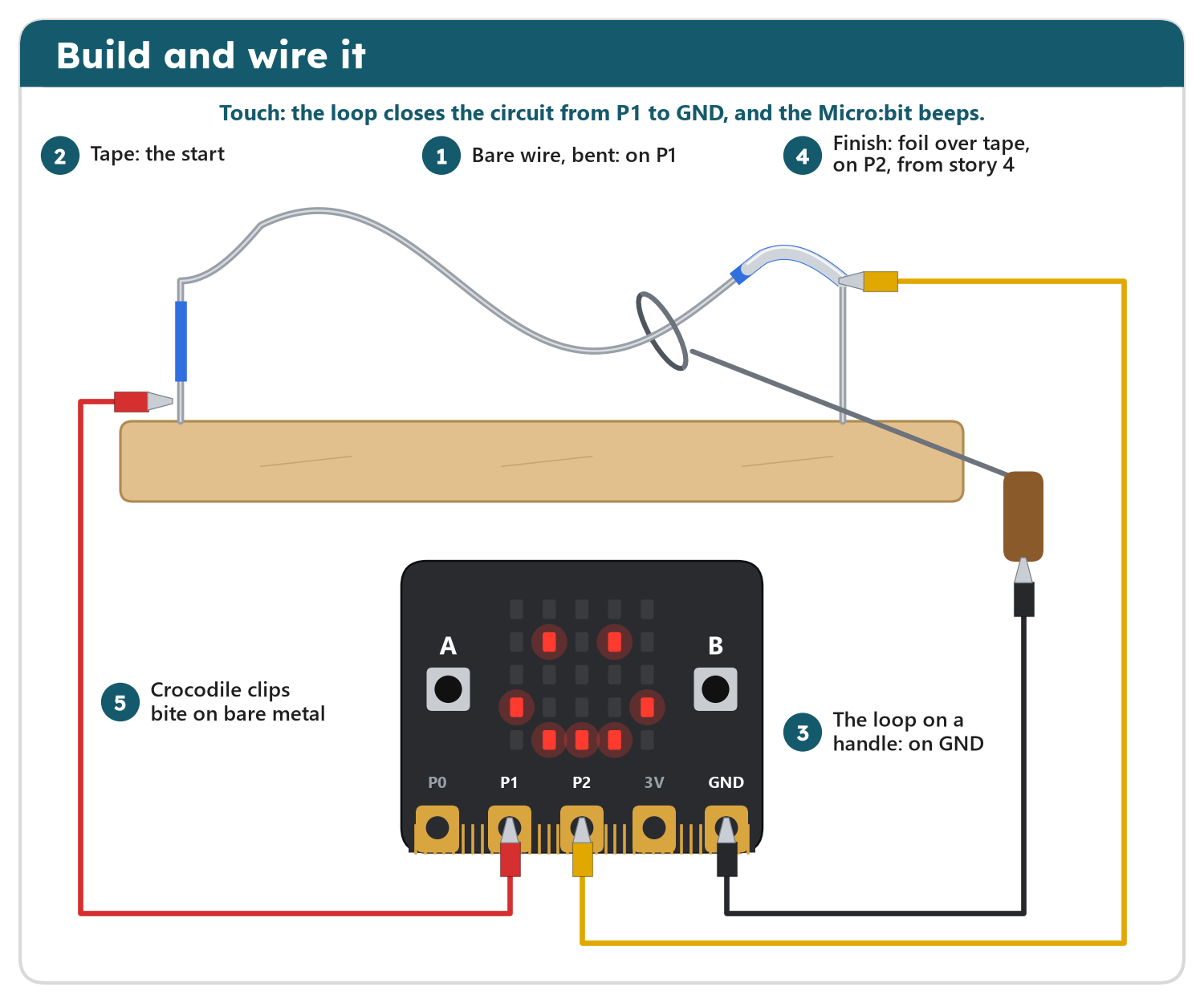
The wire game from the front: a bent bare wire on a wooden block with tape at the start, a loop on a handle around the wire, foil over tape at the end of the wire, and three crocodile clips to the Micro:bit: the wire on P1, the loop on GND, the finish pad on P2
  1. Bend the wire into hills and valleys with pliers. Push both ends into holes in the block (or tape them on).
  2. Make a small loop at the end of the short wire, around the long wire, before you fix the second end. Bend the rest into a handle.
  3. Wrap tape around the first few centimetres: the start, where the loop can rest.

5Wire it

Calm work: power off, one wire at a time, check every hole twice. One wrong hole can stop the whole machine.

The picture above shows the clips too. Switch the Micro:bit off (pull the USB cable) while you clip.

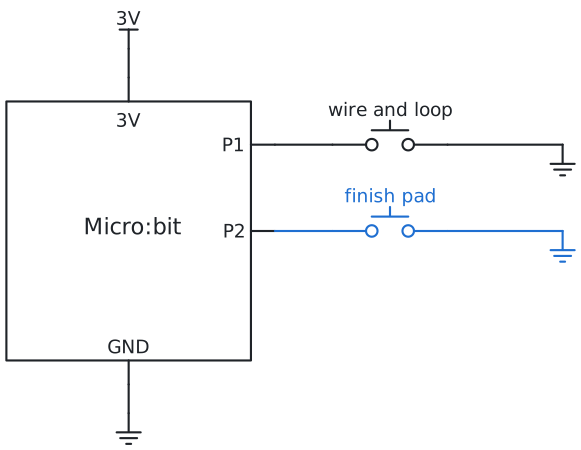
  1. Clip: the long wire to P1, the handle's end to GND. From story 4: wrap tape round the last 5 cm of the wire, then aluminium foil over the tape, and clip P2 to the foil. The tape keeps foil and wire apart.
  2. Test before you program: download story 1 and touch the loop to the wire. It beeps? The circuit works.
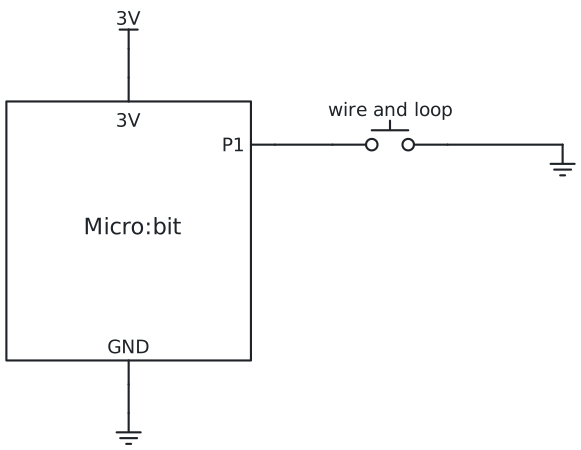
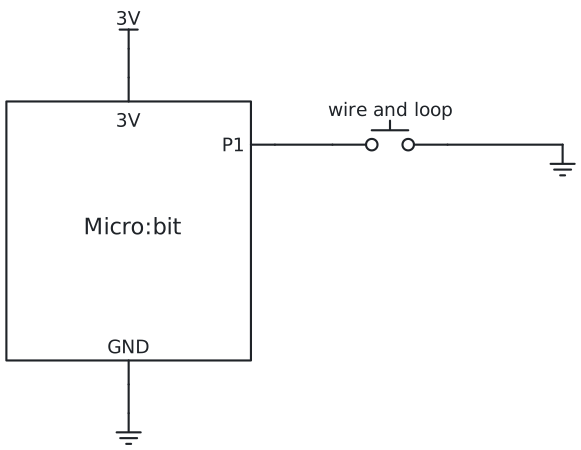
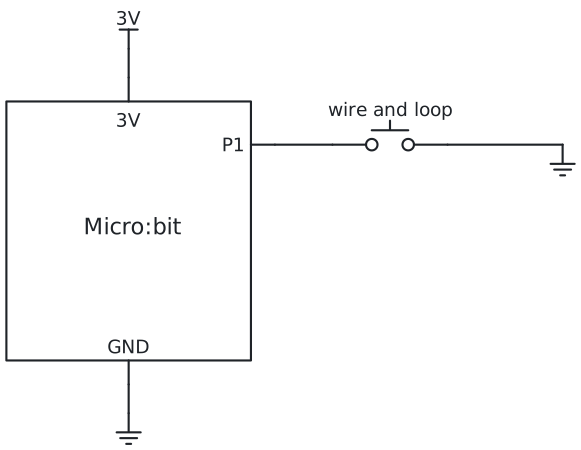
Circuit diagram: the same wiring, drawn the way engineers do

The wire and the loop are a switch: when they touch, P1 meets GND. How to read a circuit diagram

Circuit diagram for story 1 Circuit diagram for story 2 Circuit diagram for story 3 Circuit diagram for story 4
You first

Bend the wire yourself and clip the leads yourself. Then test the loop with your hands before any program: touch the wire, does the circuit close?

6Try it

The wire lab runs every story on screen. Hold the loop by its wooden grip, with your mouse or finger, move it along the wire, and listen.

Open the wire lab in a new tab

7Program it

You see the program for . Choose another story in the bar at the top of the page.

pin P1 is pressed is in Input; play tone in Music; variables in Variables (Make a Variable...); running time in Input, under more.

Story 1: Beep when you touchforever and if
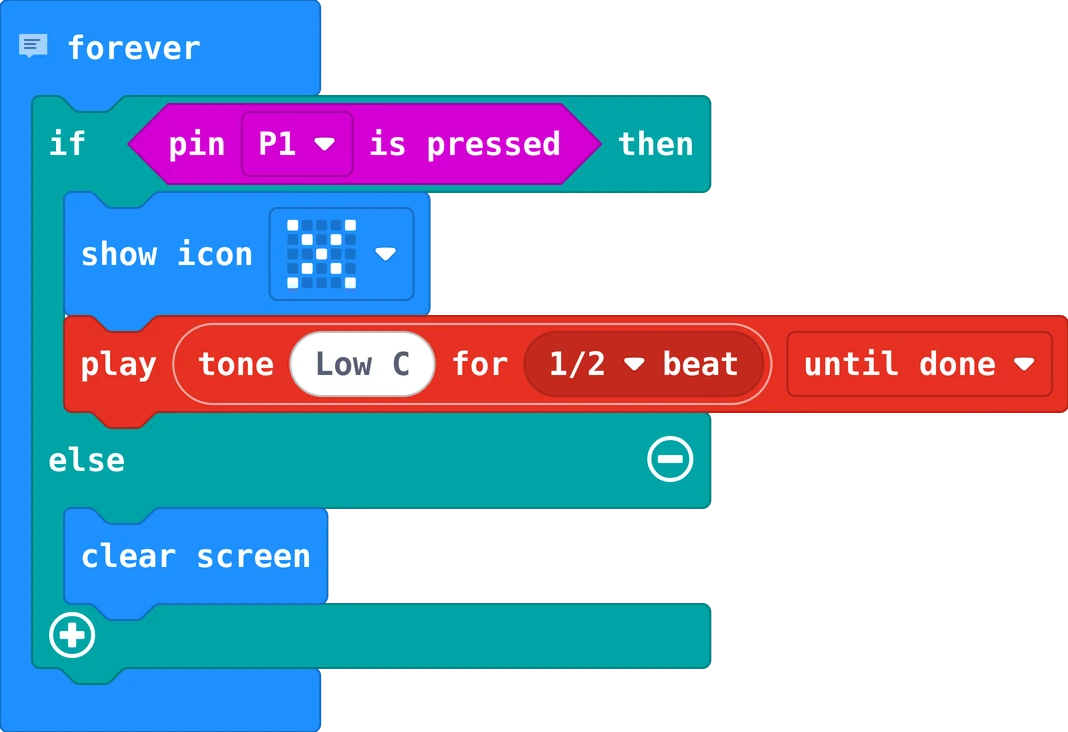
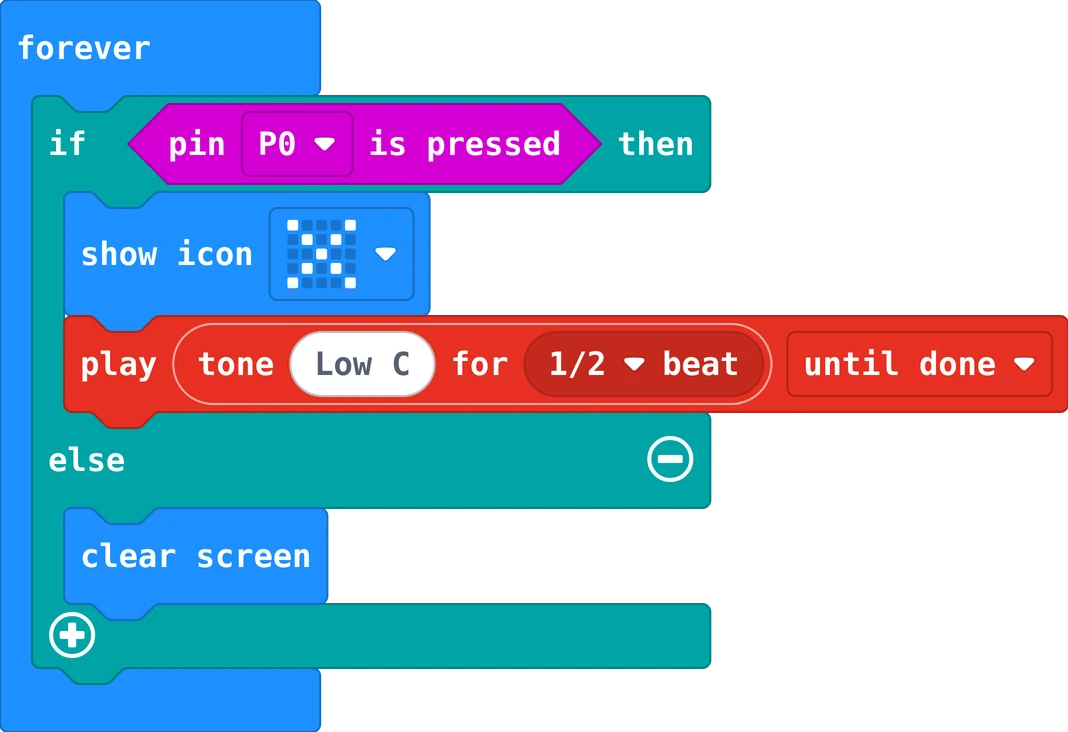
The MakeCode blocks of story 1
The same in Python
# Story 1: Beep when you touch. The wire is on P1, the loop on GND: a touch closes the circuit.

def on_forever():
    if input.pin_is_pressed(TouchPin.P1):
        basic.show_icon(IconNames.NO)
        music.play(music.tone_playable(131, music.beat(BeatFraction.HALF)),
            music.PlaybackMode.UNTIL_DONE)
    else:
        basic.clear_screen()
basic.forever(on_forever)

forever asks again and again: is pin P1 pressed? When the loop touches the wire, the circuit from P1 to GND is closed and the answer is yes: a cross and a low beep. Else the screen stays dark.

Your turn: touch P1 and GND with two fingers at once. Does it beep a little? Why?

Real world

Factories use the same idea: a closed circuit tells a machine that a door is shut or a part is in place, and a touch sensor stops it in time.

Story 2: Count the touchesa variable
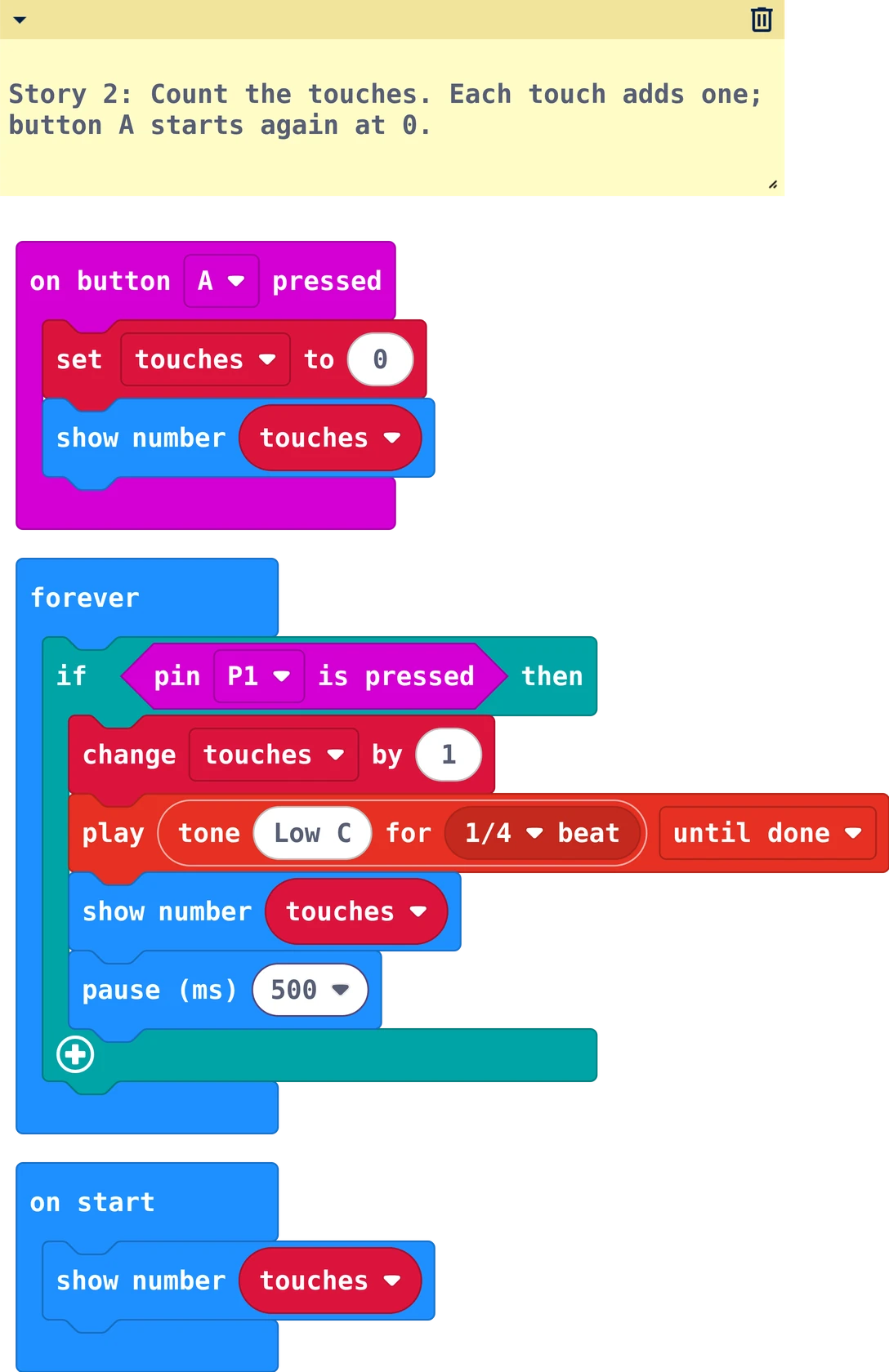
The MakeCode blocks of story 2
The same in Python
# Story 2: Count the touches. Each touch adds one; button A starts again at 0.
touches = 0

def on_button_pressed_a():
    global touches
    touches = 0
    basic.show_number(touches)
input.on_button_pressed(Button.A, on_button_pressed_a)

basic.show_number(touches)

def on_forever():
    global touches
    if input.pin_is_pressed(TouchPin.P1):
        touches += 1
        music.play(music.tone_playable(131, music.beat(BeatFraction.QUARTER)),
            music.PlaybackMode.UNTIL_DONE)
        basic.show_number(touches)
        basic.pause(500)
basic.forever(on_forever)

The variable touches remembers how many times you touched. The pause of 500 ms makes one touch count once. Button A starts again at 0.

Your turn: play three times. What is your best number?

Story 3: Three livesif inside if
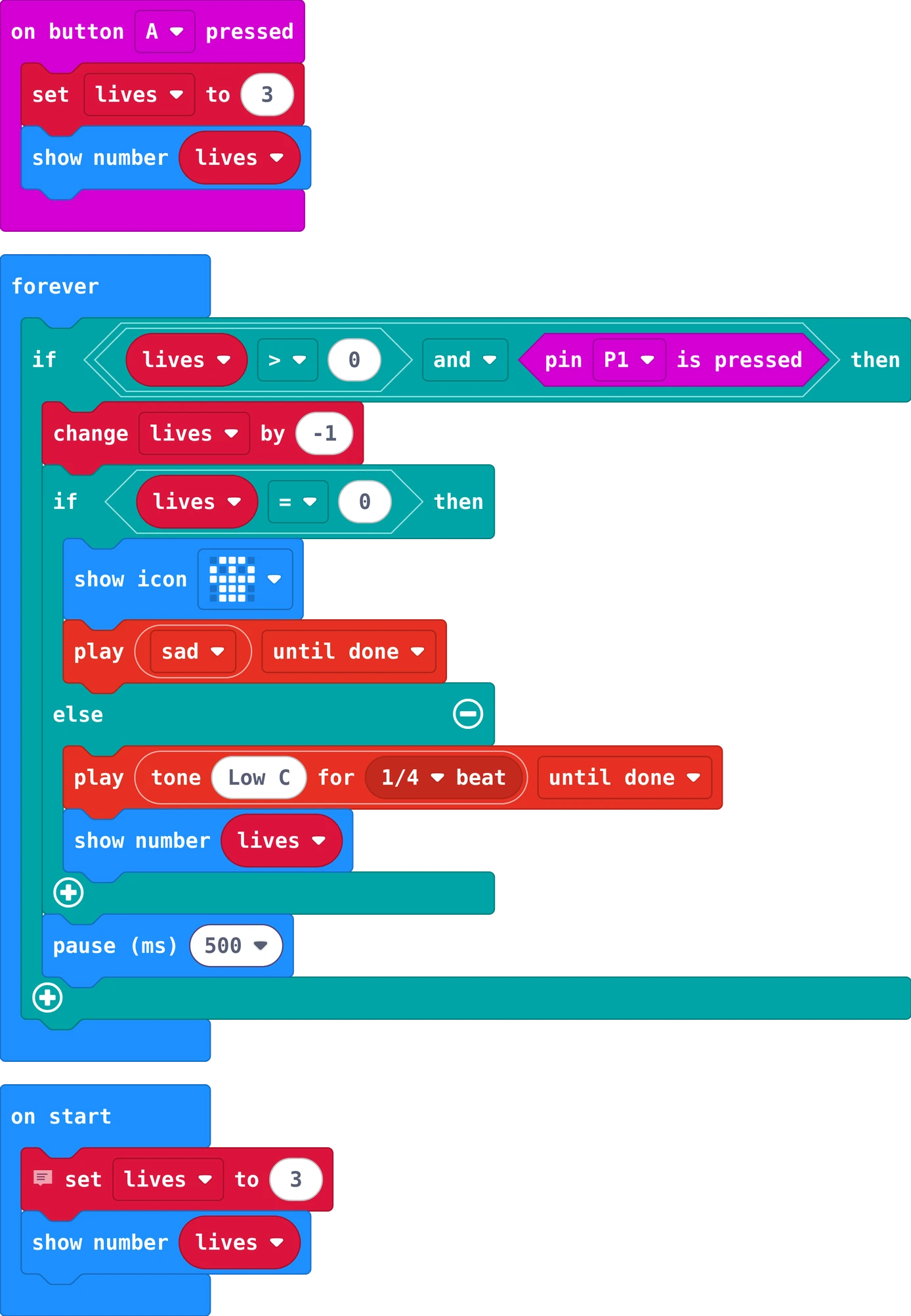
The MakeCode blocks of story 3
The same in Python
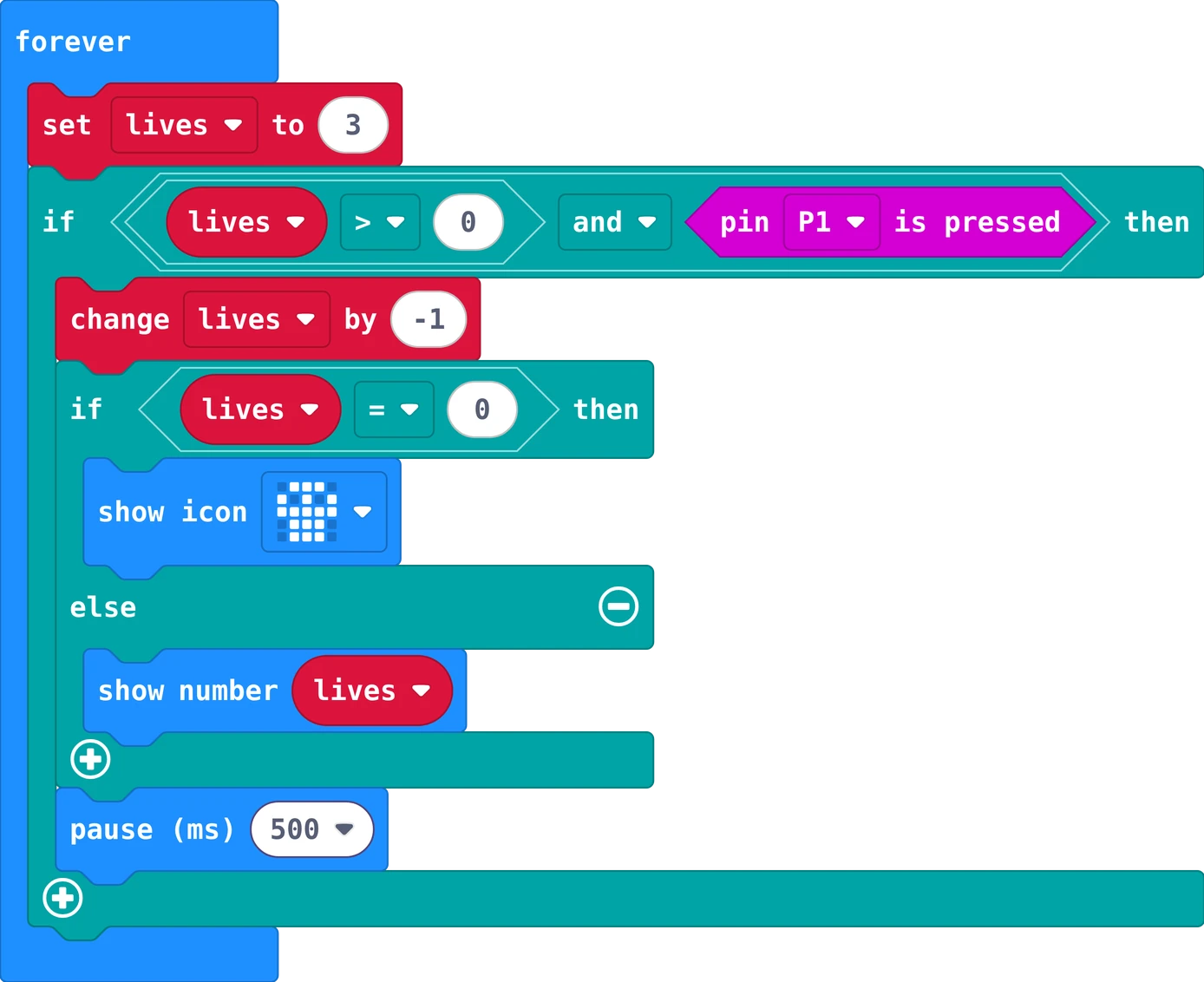
# Story 3: Three lives. Each touch costs a life; at 0 the game is over. Button A gives three new lives.
lives = 3

def on_button_pressed_a():
    global lives
    lives = 3
    basic.show_number(lives)
input.on_button_pressed(Button.A, on_button_pressed_a)

basic.show_number(lives)

def on_forever():
    global lives
    if lives > 0 and input.pin_is_pressed(TouchPin.P1):
        lives += -1
        if lives == 0:
            basic.show_icon(IconNames.SKULL)
            music.play(music.builtin_playable_sound_effect(soundExpression.sad),
                music.PlaybackMode.UNTIL_DONE)
        else:
            music.play(music.tone_playable(131, music.beat(BeatFraction.QUARTER)),
                music.PlaybackMode.UNTIL_DONE)
            basic.show_number(lives)
        basic.pause(500)
basic.forever(on_forever)

You start with 3 lives. Each touch takes one. At 0 the skull comes and a sad sound plays, and touches no longer count. Button A gives three new lives.

Your turn: make it 5 lives for younger players.

Story 4: Beat the clocktime and a score
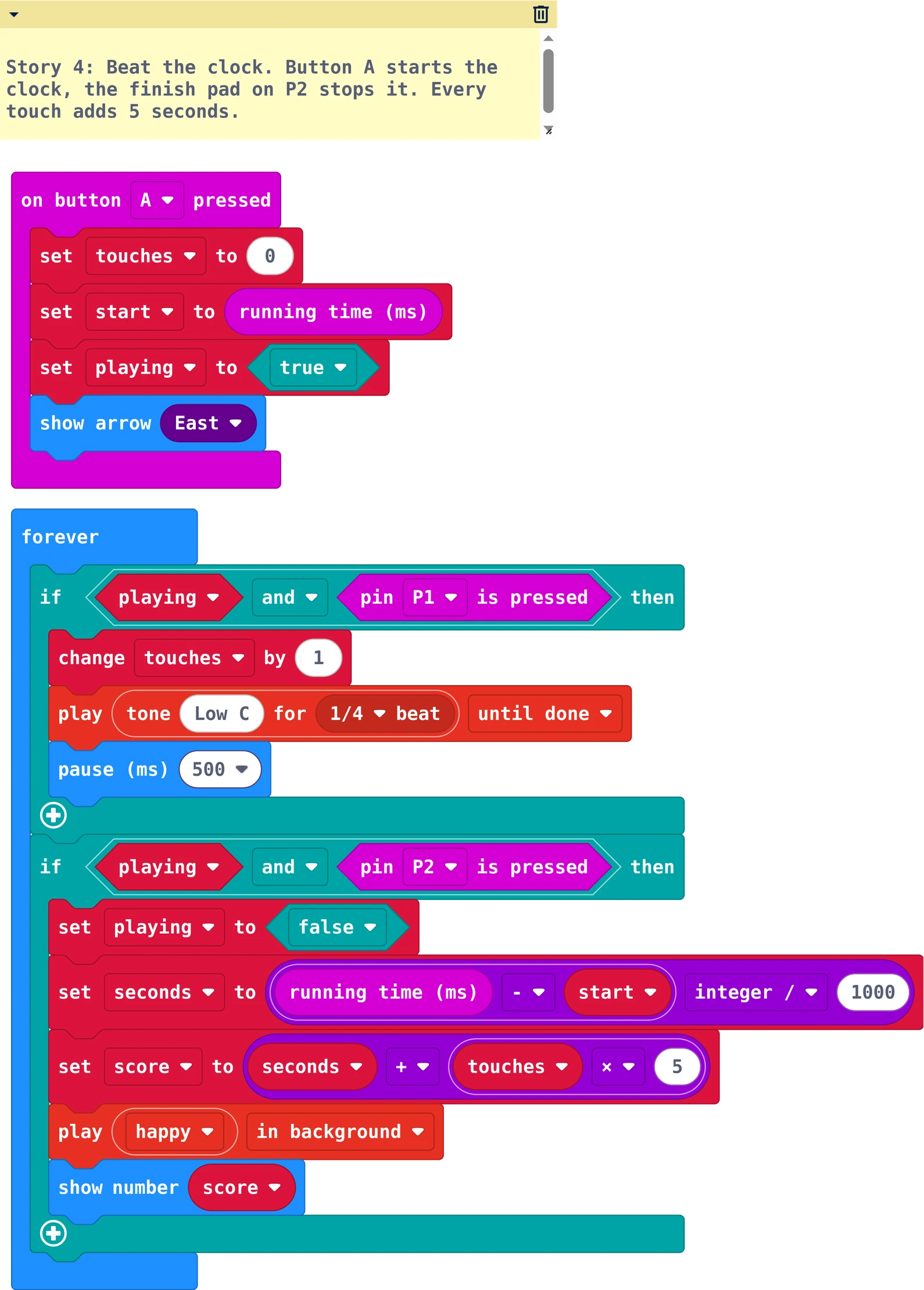
The MakeCode blocks of story 4
The same in Python
# Story 4: Beat the clock. Button A starts the clock, the finish pad on P2 stops it. Every touch adds 5 seconds.
touches = 0
start = 0
playing = False
seconds = 0
score = 0

def on_button_pressed_a():
    global touches, start, playing
    touches = 0
    start = input.running_time()
    playing = True
    basic.show_arrow(ArrowNames.EAST)
input.on_button_pressed(Button.A, on_button_pressed_a)

def on_forever():
    global touches, playing, seconds, score
    if playing and input.pin_is_pressed(TouchPin.P1):
        touches += 1
        music.play(music.tone_playable(131, music.beat(BeatFraction.QUARTER)),
            music.PlaybackMode.UNTIL_DONE)
        basic.pause(500)
    if playing and input.pin_is_pressed(TouchPin.P2):
        playing = False
        seconds = Math.idiv(input.running_time() - start, 1000)
        score = seconds + touches * 5
        music.play(music.builtin_playable_sound_effect(soundExpression.happy),
            music.PlaybackMode.IN_BACKGROUND)
        basic.show_number(score)
basic.forever(on_forever)

Press A: the clock starts and playing becomes true. Touch the foil at the end of the wire (on P2) with the loop: the clock stops. Your score is the seconds plus 5 for every touch. Lower is better.

Your turn: is it better to go fast or to go carefully? Try both.

8Challenges

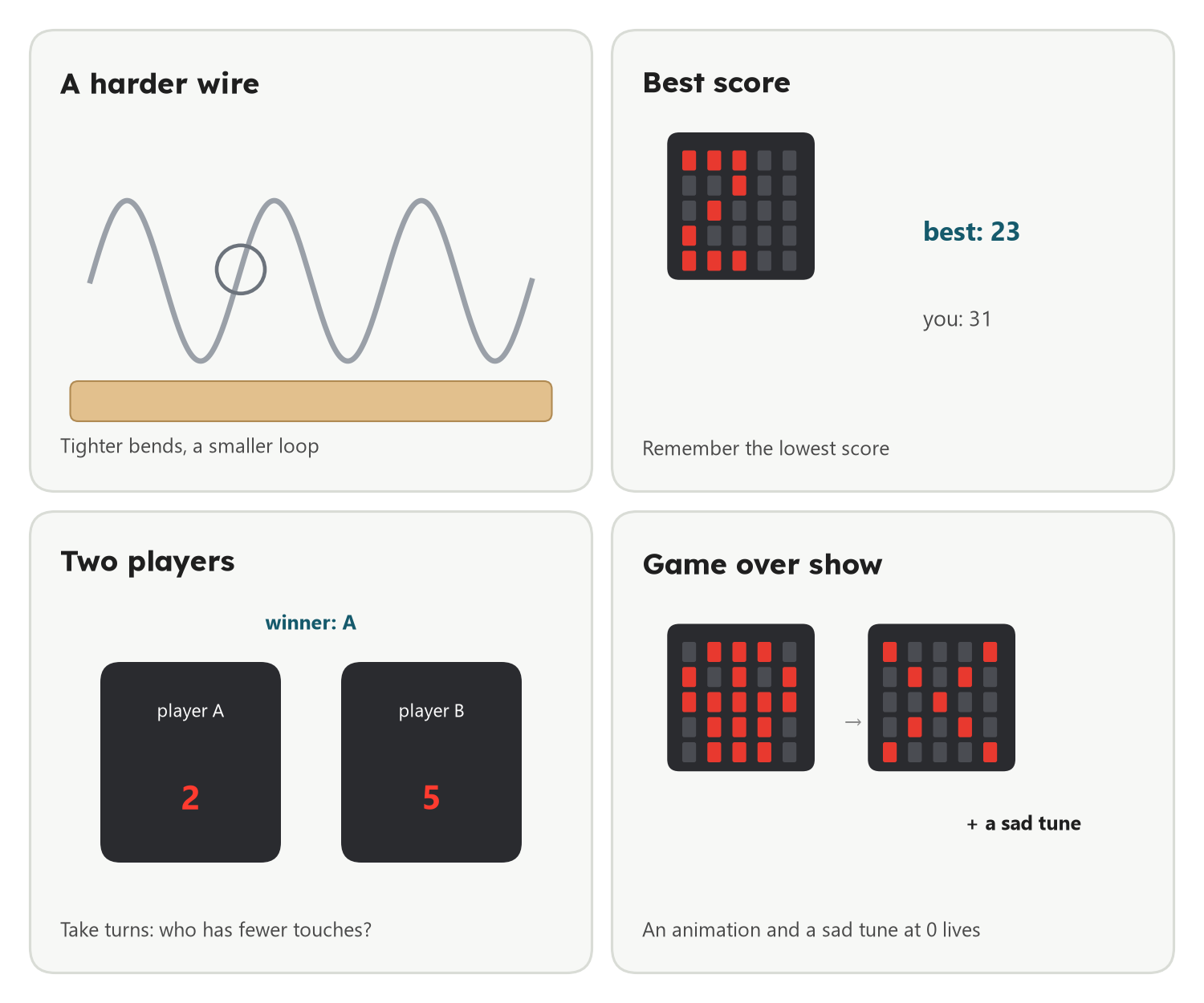
Four challenges: a harder wire with tighter bends, the best score remembered, two players taking turns, and a game over animation with a sad tune

Challenges

  • A harder wire: tighter bends, and a smaller loop. Is it still fair?
  • Best score: a variable best remembers the lowest score; show it with button B.
  • Game over show: an animation and a sad tune when the lives are gone.

Explore further

  • Two players: take turns; who has fewer touches?
  • Start pad: a foil strip at the start on P0 starts the clock instead of button A.
  • Show the time: a bar on the screen grows every second while you play.
AI option

Want new rules for the game? Ask an AI for three ideas, choose one, and test if it is fair on your own wire.

The question to ask
I made a wire game with a Micro:bit: a loop must go along a bent wire without touching it.
It counts touches, has three lives, and a timer with a finish pad.
Give me 3 new game rules that are fair and easy to make with MakeCode blocks.

9How others did it

Other kids built their game their own way. Made yours your own way? Show your teacher.

Nothing here yet. Made it your own way? Show your teacher: it may end up here.

10Check what you learned

Before you leave. Your teacher picks some of these for you: answer out loud, draw on paper, or work with the person next to you. Some cards change with your story: now .

Answer it

Tap an answer: you see at once if it is right, and why

  1. The wire is on P1 and the loop on GND. Why does the Micro:bit notice a touch?

  2. True or false: a painted wire works just as well for the wire game.

  3. The loop hangs in the air, not touching the wire. The circuit is ...

  4. What does forever do?

  5. An if block checks something. If the answer is false, what happens?

  6. Why is there a pause of 500 ms after counting a touch?

  7. lives starts at 3. You touch the wire twice, and each touch does change lives by -1. What is lives now?

  8. What is a variable?

  9. You need 20 seconds and touch the wire 2 times. Every touch adds 5. What is your score?

  10. An AI says: "Any wire from a coat hanger works." What do you check first?

Predict, then try

Choose what will happen, then try it in the lab or on your board

  1. Delete the pause block. You touch the wire once, quickly. What will the number do?

  2. You hold the loop on the wire and do not move. What happens to your 3 lives?

  3. You touch the finish pad before you press A. What happens?

I can …

Tick what is true for you today. Your ticks stay on this computer.

Find the bug

A mistake we often see in class. What does the board do? Why? How do you fix it?

"The clip on the wire goes to the P1 ring, the loop to GND. I touch the wire, but the Micro:bit stays dark and silent."

The MakeCode blocks of this program
The same in Python
def on_forever():
    if input.pin_is_pressed(TouchPin.P0):
        basic.show_icon(IconNames.NO)
        music.play(music.tone_playable(131, music.beat(BeatFraction.HALF)),
            music.PlaybackMode.UNTIL_DONE)
    else:
        basic.clear_screen()
basic.forever(on_forever)
Need a hint?

Read the pin in the if block, then look at the ring the clip is on.

  • Which pin should the if block ask about?

"I touch the wire once, very short, and the number jumps from 0 to 15."

The MakeCode blocks of this program
The same in Python
touches = 0
basic.show_number(touches)

def on_forever():
    global touches
    if input.pin_is_pressed(TouchPin.P1):
        touches += 1
        basic.show_number(touches)
basic.forever(on_forever)
Need a hint?

How often does forever run? What happens on every round while the loop still touches the wire?

  • What makes one touch count once?

"Every touch shows 2. I touch ten times and it still says 2; the skull never comes."

The MakeCode blocks of this program
The same in Python
lives = 0

def on_forever():
    global lives
    lives = 3
    if lives > 0 and input.pin_is_pressed(TouchPin.P1):
        lives += -1
        if lives == 0:
            basic.show_icon(IconNames.SKULL)
        else:
            basic.show_number(lives)
        basic.pause(500)
basic.forever(on_forever)
Need a hint?

Where is lives set to 3? How often does that block run?

  • Where does set lives to 3 belong?

Show it without AI

Two minutes, no screen help: show your game and explain it

  1. Show the circuit with your finger: pin, clip, wire, loop, clip, GND.
  2. Take the pause out in your head: what would happen? Then try.
  3. Say where your program decides between beep and quiet.

Then: What did you build yourself today? What would make the game harder?

Ask one question

Each of you asks one question about today

Ask your teacher or the class one question about today. Anything counts: a part, a block, a word on this page, something that went wrong, or where this is used in real life. There are no wrong questions, only questions nobody asked.

Start with: Why does …?   What happens if …?   How does a real … do it?   What does … mean?   Could I use this to …?

Poster to print (PDF)