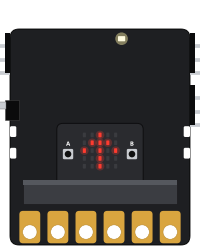
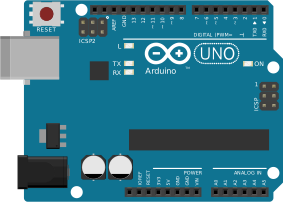
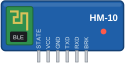
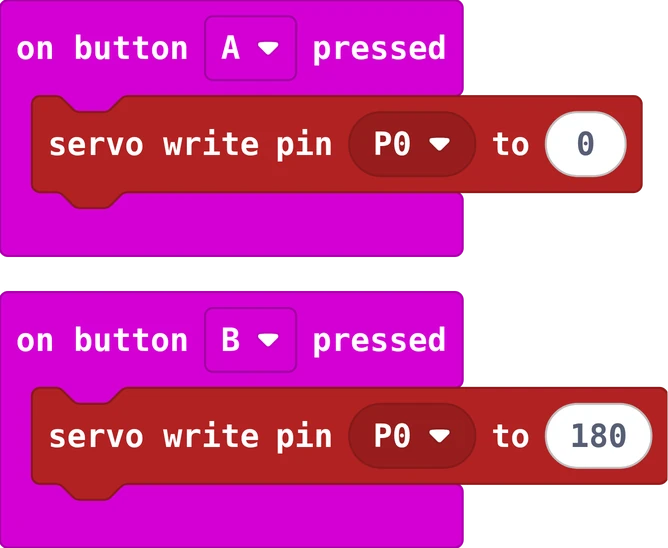
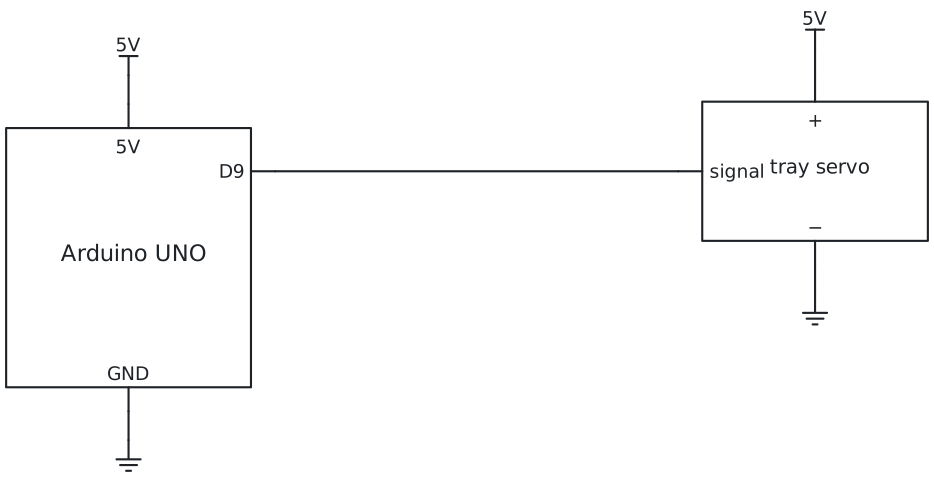
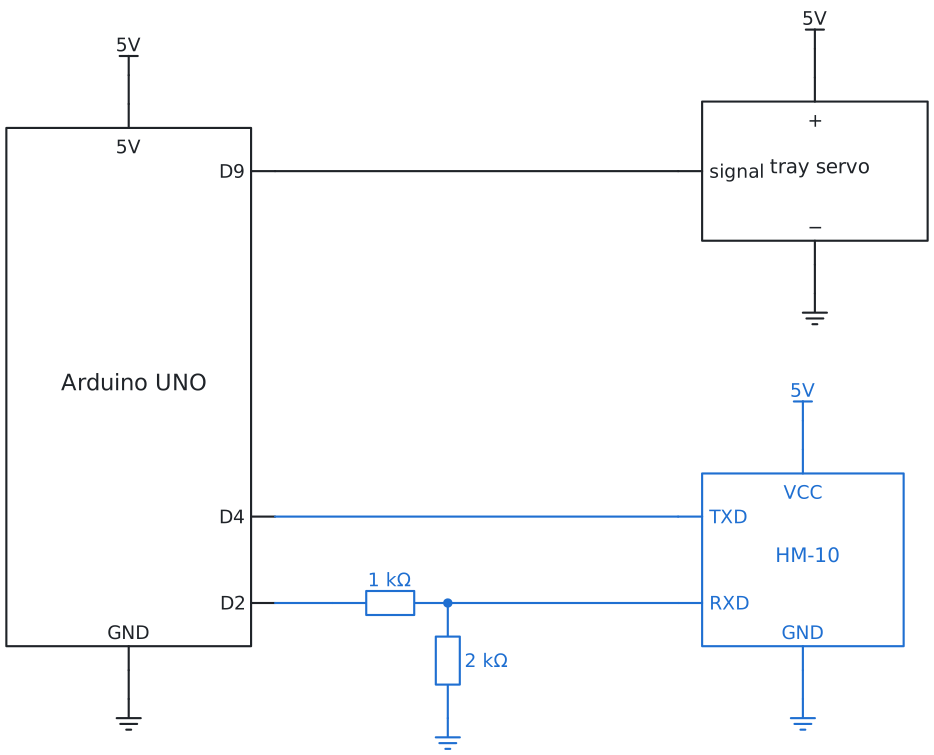
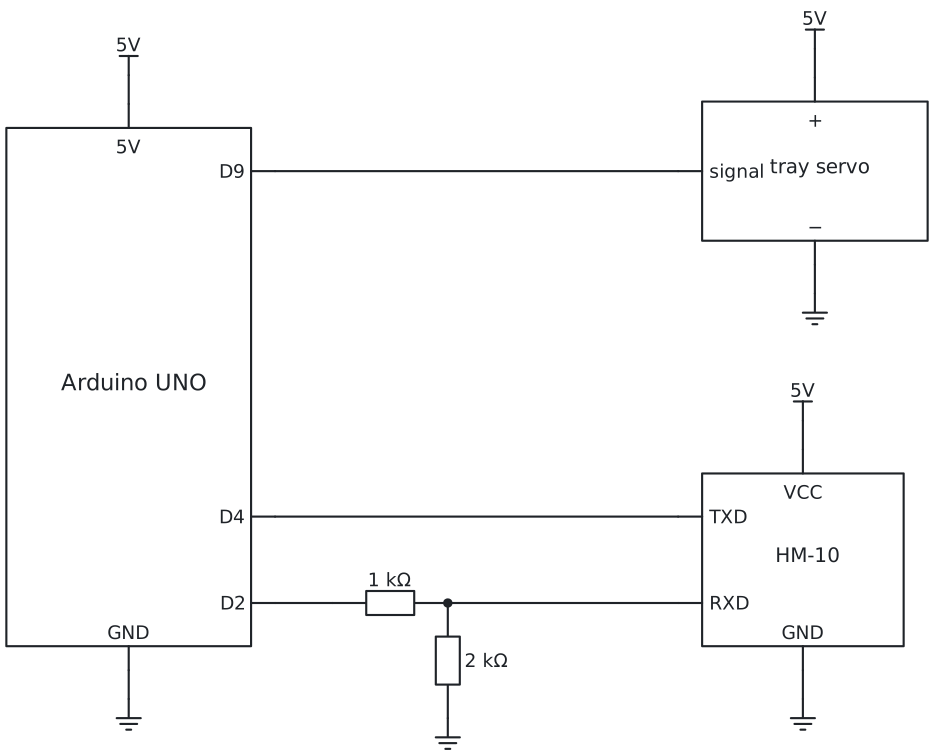
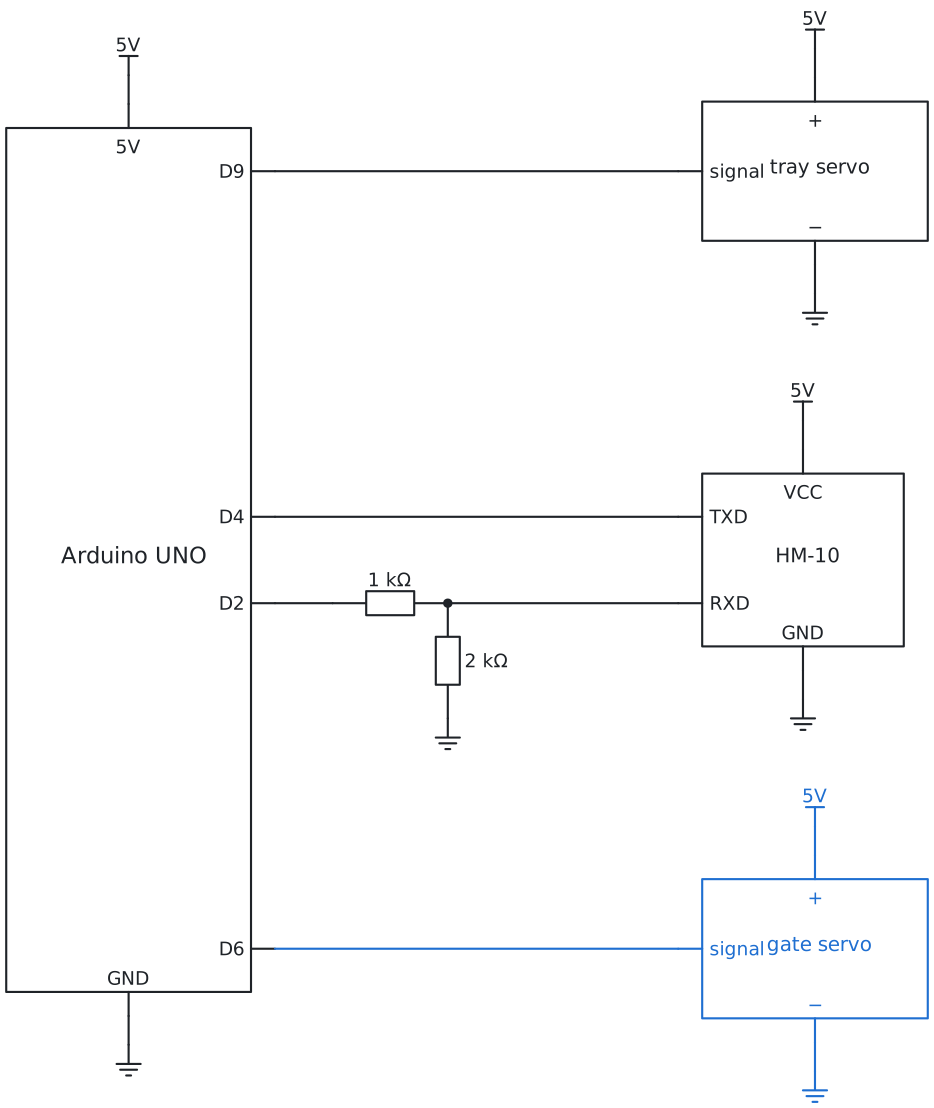
In MakeCode, the servo block servo write pin is under Advanced, then Pins. From story 2 you
need the bluetooth extension, and in Project Settings (the gear) choose No Pairing Required.
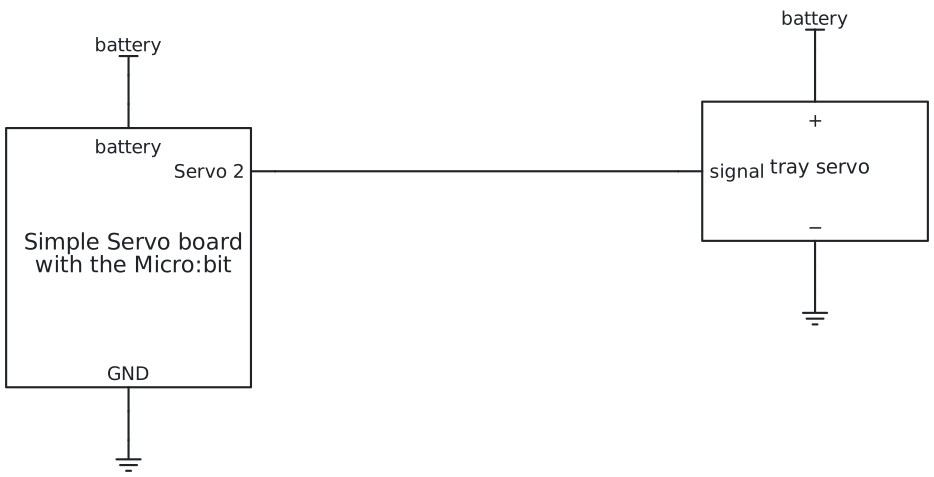
Story 1: Tip the trayservo angles
The same in Python
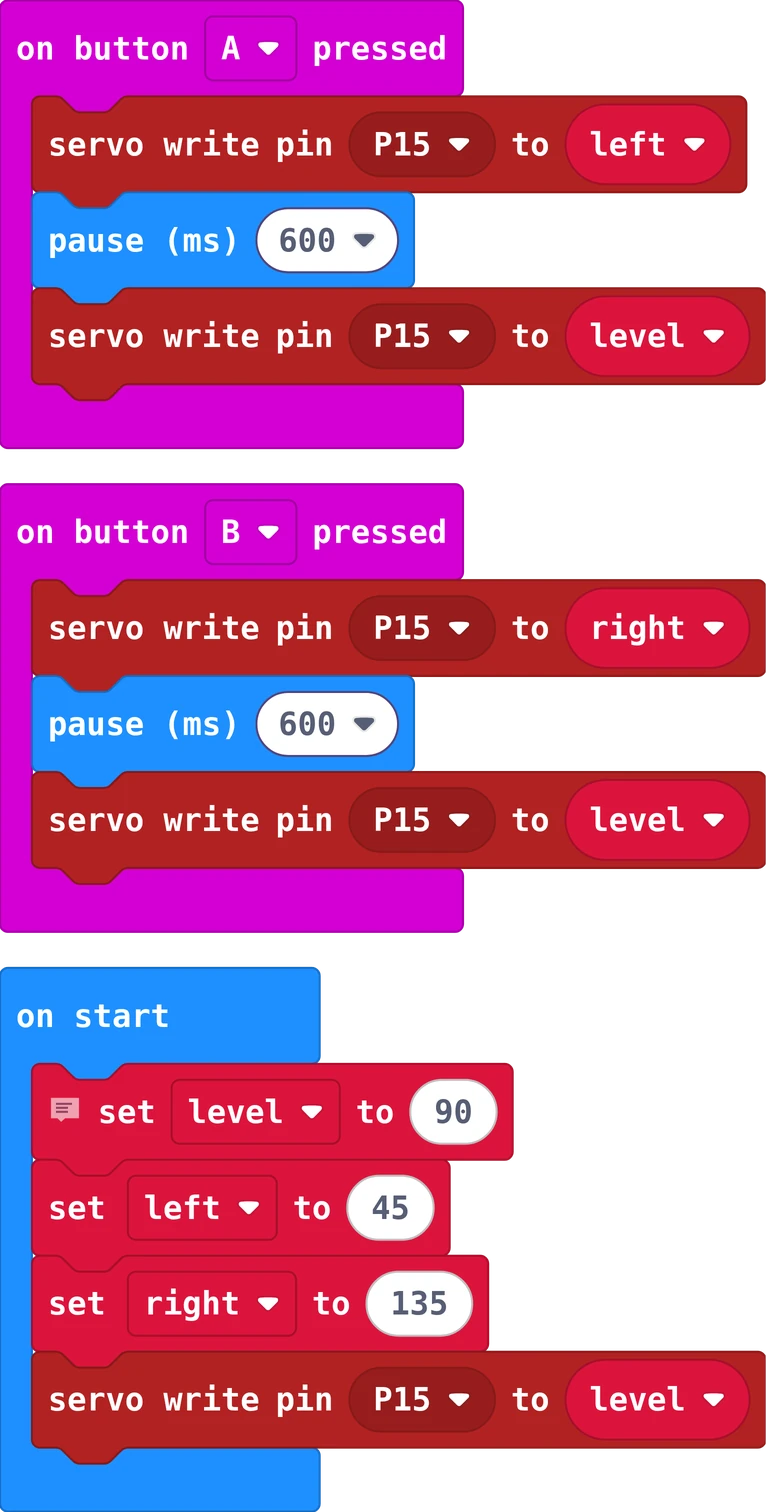
# Story 1: Tip the tray. Button A tips it left, button B right, then it comes back level.
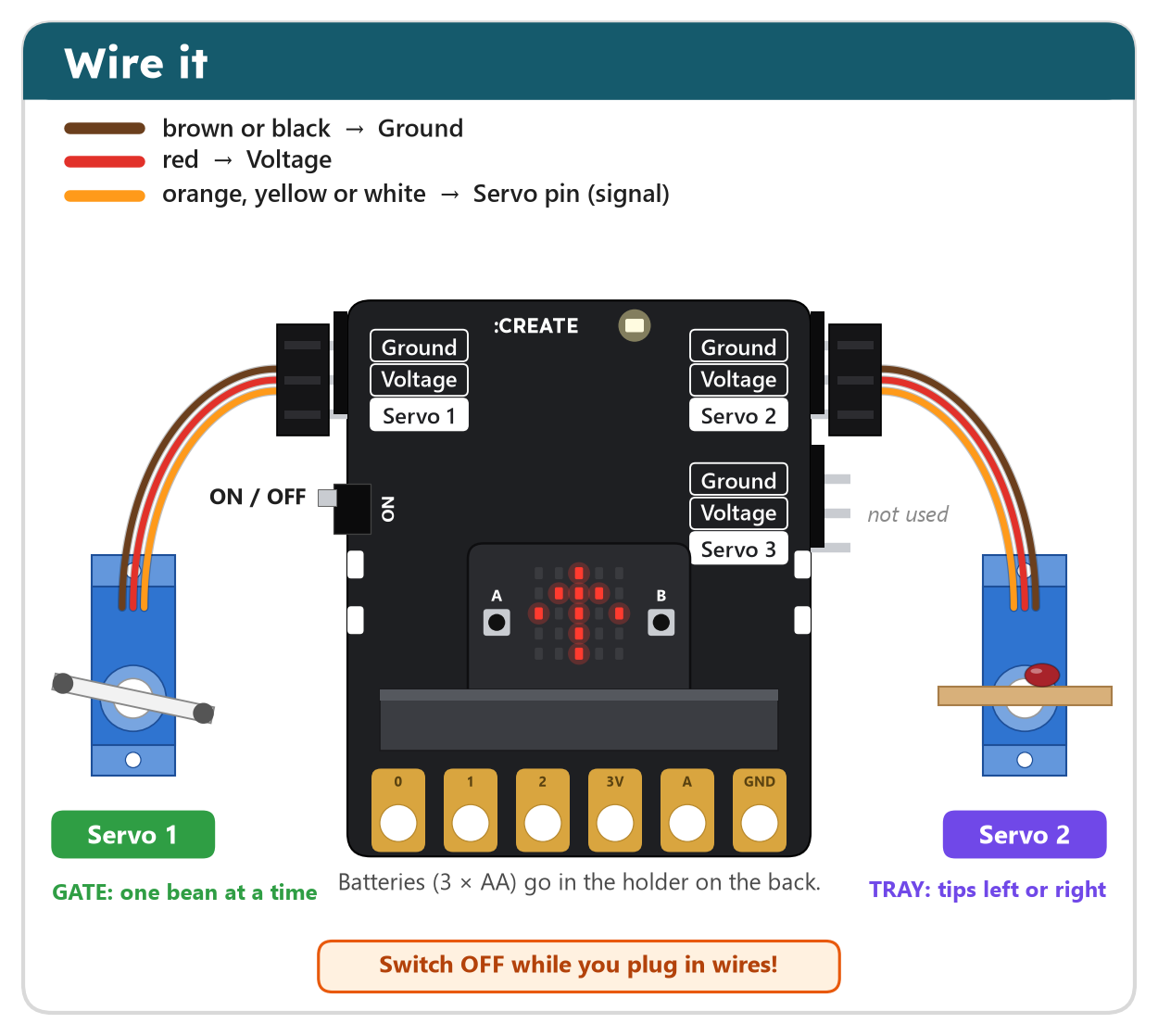
# The tray sits on Servo 2 of the Simple Servo board (pin P15).
level = 90
left = 45
right = 135

def on_button_pressed_a():
    pins.servo_write_pin(AnalogPin.P15, left)
    basic.pause(600)
    pins.servo_write_pin(AnalogPin.P15, level)
input.on_button_pressed(Button.A, on_button_pressed_a)

def on_button_pressed_b():
    pins.servo_write_pin(AnalogPin.P15, right)
    basic.pause(600)
    pins.servo_write_pin(AnalogPin.P15, level)
input.on_button_pressed(Button.B, on_button_pressed_b)

pins.servo_write_pin(AnalogPin.P15, level)
In MakeCode, switch from Blocks to Python at the top of the editor to type it yourself.
// Story 1: Tip the tray. Type left or right in the Serial Monitor (with "Newline" at the bottom).
#include <Servo.h>

const int trayPin = 9;
const int level = 90;
const int left = 45;
const int right = 135;
Servo tray;

void setup() {
  Serial.begin(9600);
  tray.attach(trayPin);
  tray.write(level);
  Serial.println("Type left or right");
}

void tip(int angle) {
  tray.write(angle);
  delay(600);
  tray.write(level);
}

void loop() {
  if (Serial.available()) {
    String word = Serial.readStringUntil('\n');
    word.trim();
    if (word == "left") {
      tip(left);
    } else if (word == "right") {
      tip(right);
    }
  }
}
Open the Serial Monitor, choose Newline at the bottom, and type left or right.

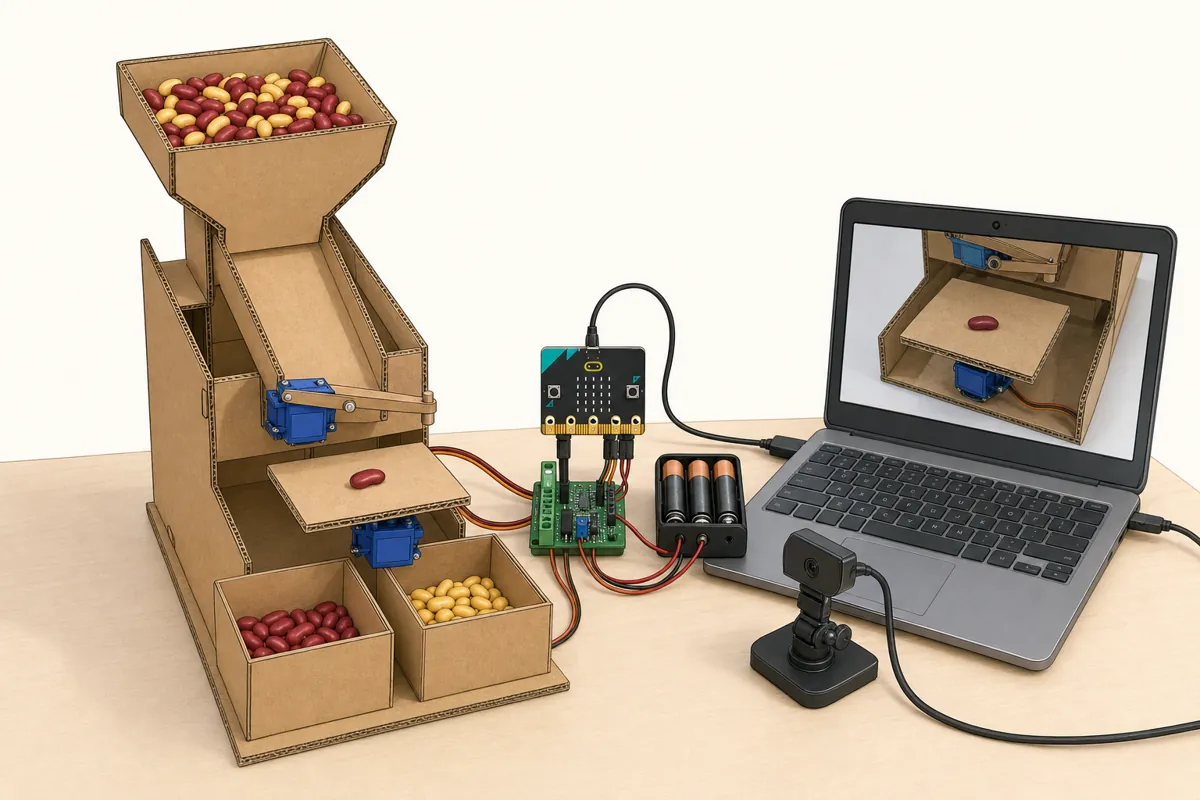
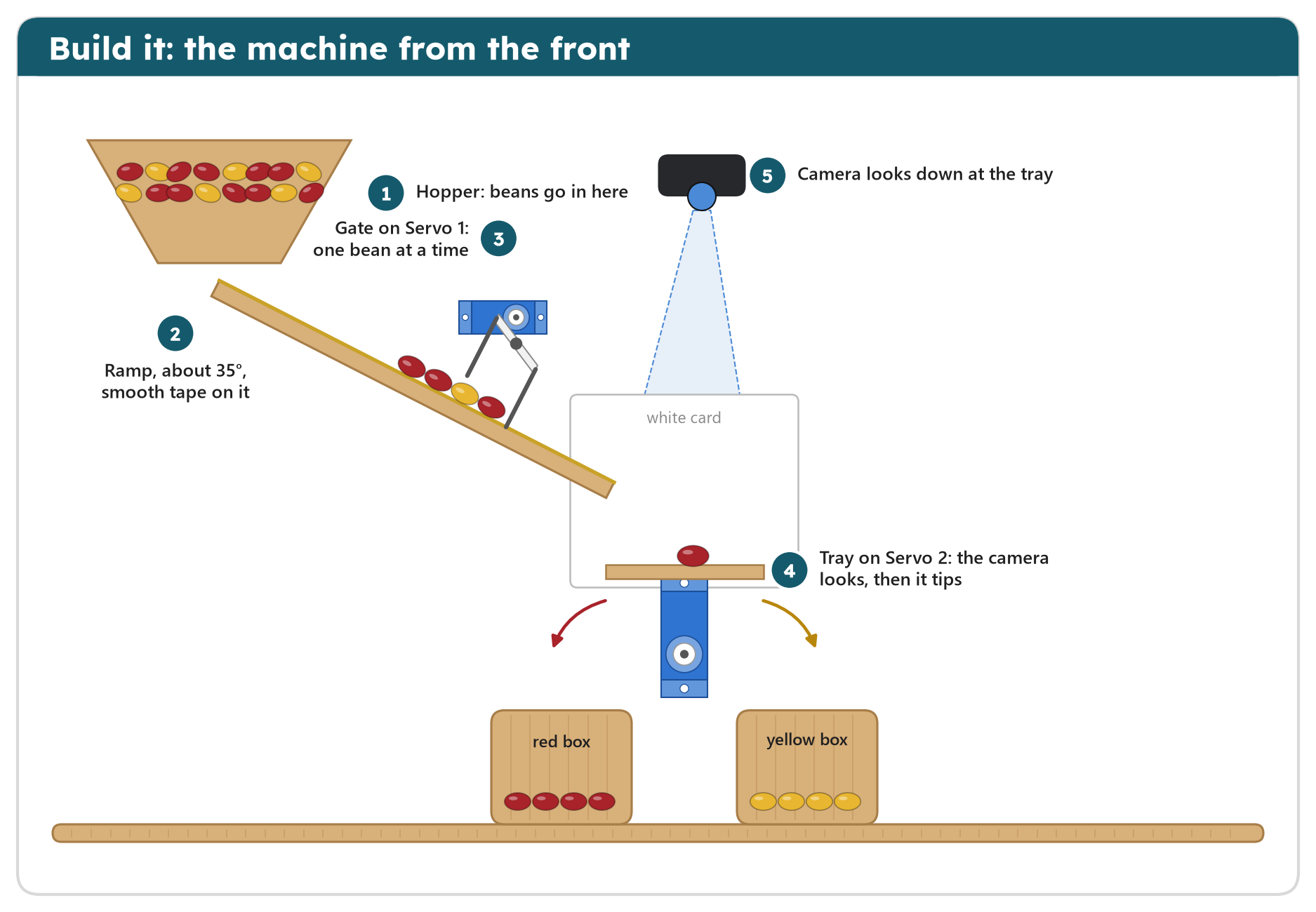
The tray is the machine's hand. A servo turns to the angle you give it: 90 is level, 45 tips it one way, 135 the
other way. After a short wait it comes back level, ready for the next bean.
Your turn: put a bean on the tray and find the smallest tip that still lets it roll off.
You firstToday's know-how: angles. Find level, left and right on your own tray: no AI can measure them for you.
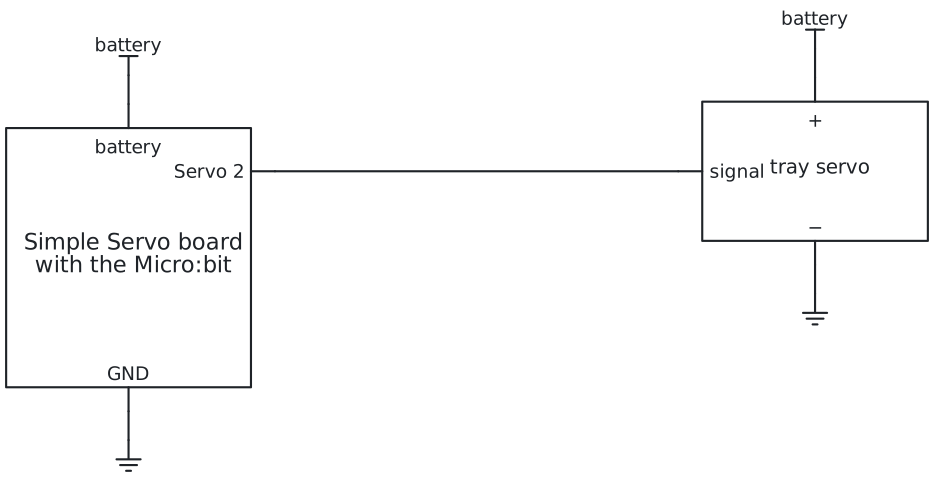
Story 2: Show what the AI seesa trained model

Open the AI linkIt sends a word when the answer changes. First test it with the colour rule, below.
The same in Python
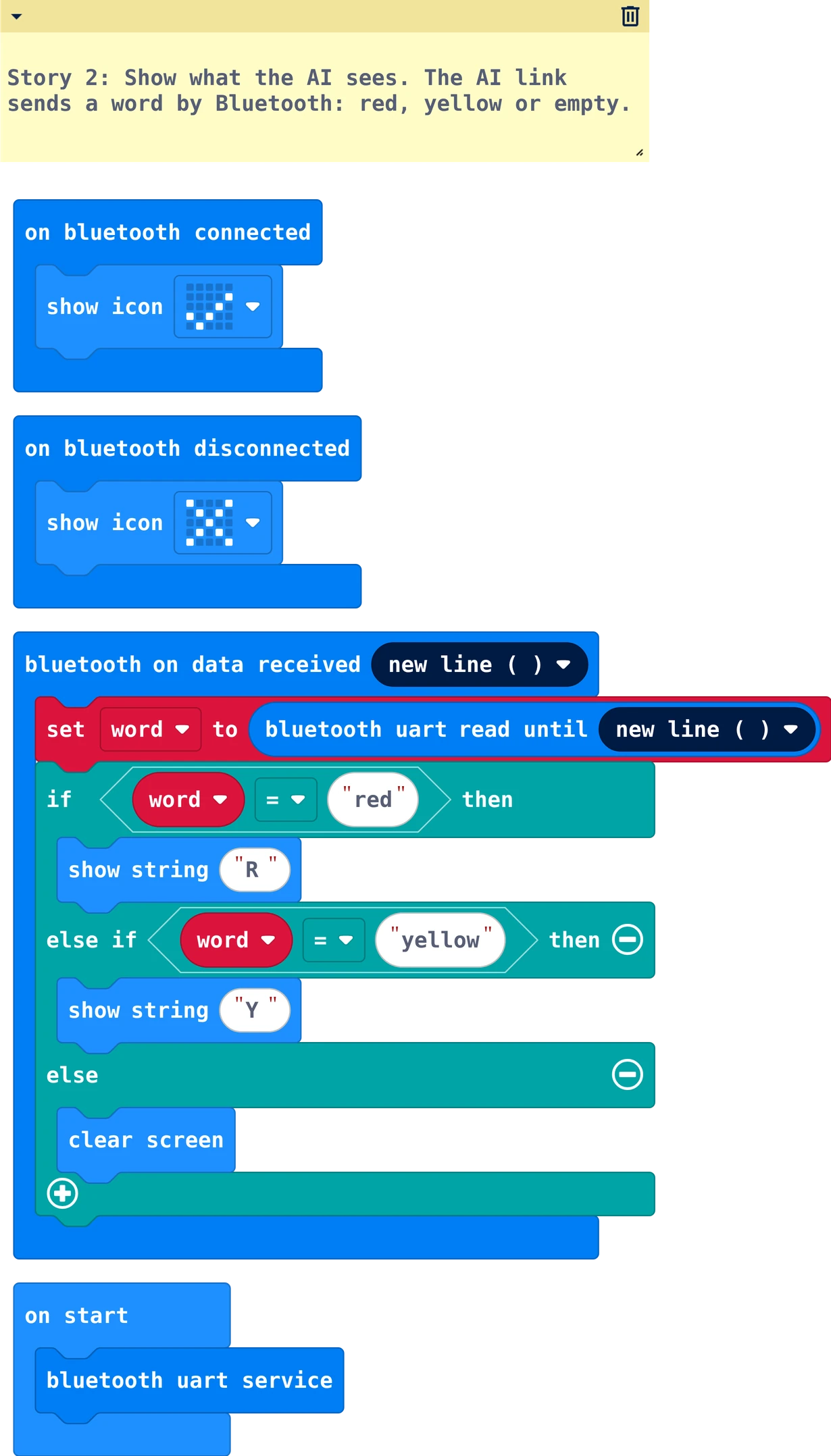
# Story 2: Show what the AI sees. The AI link sends a word by Bluetooth: red, yellow or empty.
word = ""

def on_bluetooth_connected():
    basic.show_icon(IconNames.YES)
bluetooth.on_bluetooth_connected(on_bluetooth_connected)

def on_bluetooth_disconnected():
    basic.show_icon(IconNames.NO)
bluetooth.on_bluetooth_disconnected(on_bluetooth_disconnected)

def on_uart_data_received():
    global word
    word = bluetooth.uart_read_until(serial.delimiters(Delimiters.NEW_LINE))
    if word == "red":
        basic.show_string("R")
    elif word == "yellow":
        basic.show_string("Y")
    else:
        basic.clear_screen()
bluetooth.on_uart_data_received(serial.delimiters(Delimiters.NEW_LINE),
    on_uart_data_received)

bluetooth.start_uart_service()
// Story 2: Show what the AI sees. The AI link sends a word through the HM-10: red, yellow or empty.
#include <SoftwareSerial.h>

SoftwareSerial bluetooth(4, 2);   // pin 4 hears the HM-10's TXD, pin 2 talks to its RXD

void setup() {
  Serial.begin(9600);
  bluetooth.begin(9600);
  pinMode(LED_BUILTIN, OUTPUT);
}

void loop() {
  if (bluetooth.available()) {
    String word = bluetooth.readStringUntil('\n');
    word.trim();
    Serial.println(word);
    if (word == "red") {
      digitalWrite(LED_BUILTIN, HIGH);
    } else {
      digitalWrite(LED_BUILTIN, LOW);
    }
  }
}
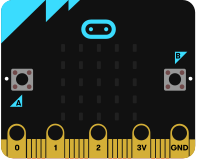
The AI link sends what the model sees as a word and a new line. The board reads until the new line and shows
it: R or Y on the Micro:bit, the word in the Arduino's Serial Monitor and the L light for red.
Test it with the AI link first: two minutes, no training
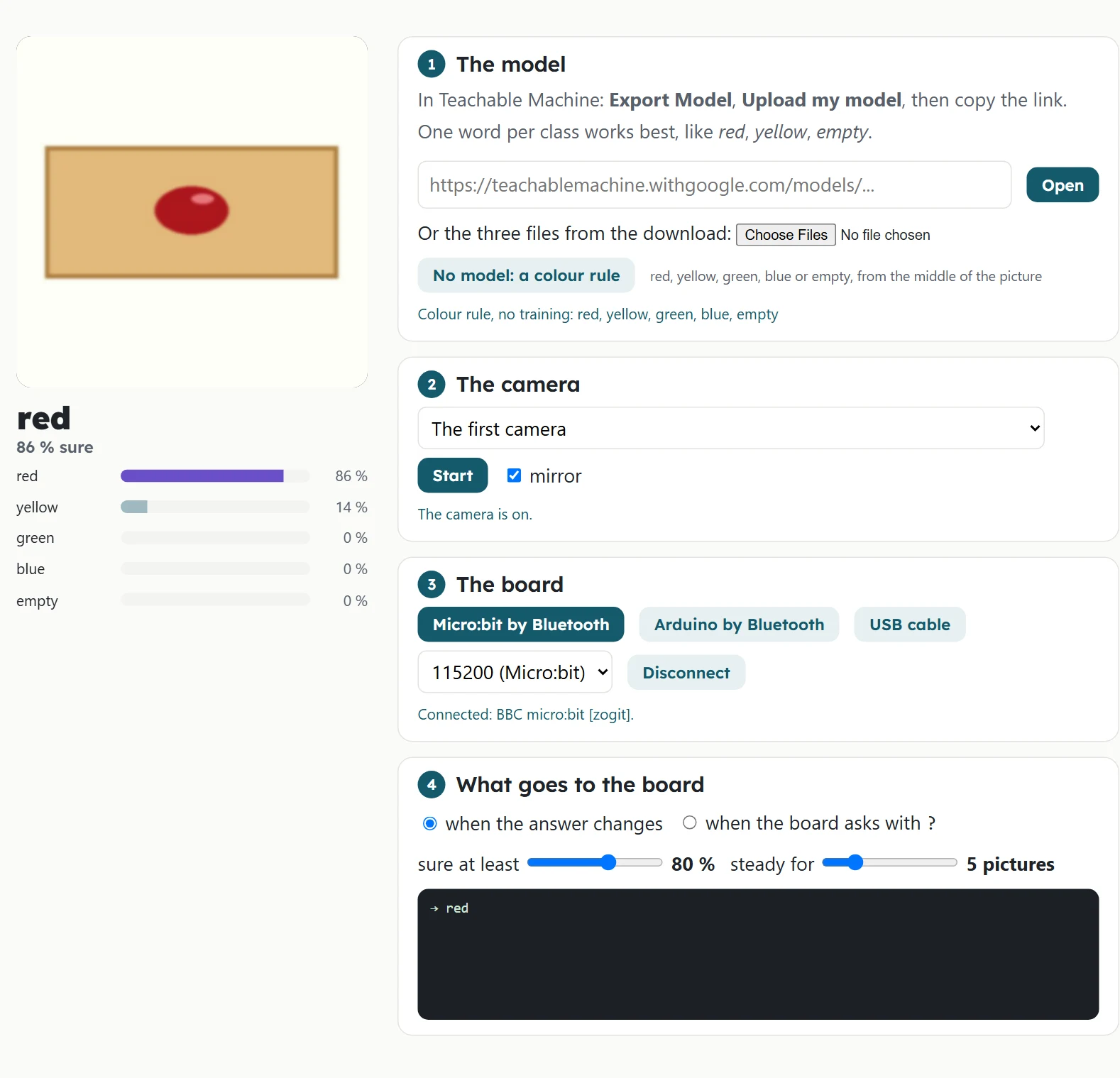
- Download the story 2 program to the Micro:bit (with No Pairing Required in
Project Settings).Upload the story 2 sketch. Keep the Serial Monitor open at
9600 baud.
- Open the AI link in Chrome or Edge on a laptop
(not a phone). Press Start at 2 The camera and allow the camera.
- At 1 The model press No model: a colour rule. Hold a red bean in the middle of the picture: the
big word says red.
- At 3 The board press Micro:bit by Bluetooth and choose
BBC micro:bit […]. The Micro:bit shows a tick.Arduino by
Bluetooth and choose the HM-10 (often called HMSoft or BT05). Its light stops blinking.
- The black box shows
→ red, and the Micro:bit shows
Rthe Serial Monitor shows red and the L light is on.
A yellow bean: Yyellow.
Not working?
- No board in the list: download the program again with No Pairing Required;
only one laptop can connect at a time.check VCC and GND of the HM-10 (its light
blinks when it has power); only one laptop or phone can connect at a time.
- No Bluetooth button works: use Chrome or Edge on a laptop, or the USB cable button
(1152009600).
- The box shows → red but the board does nothing: look at the program and the wiring; the bugs in
Check what you learned show the usual mistakes.
- Nothing is sent: the big word changes but the box stays empty: more light, the bean in the middle, or a
lower sure at least.
Then teach it your beans
- Open Teachable
Machine, make three classes: red, yellow, empty.
- Point the camera at the tray. For each class, record about 40 pictures: beans in different places and turned,
and the empty tray.
- Train Model, then test it with new beans. Then Export Model, Upload my model, copy the link.
- In the AI link paste the link at 1 The model and press Open. Test again: now your model decides.
Your turn: hold a bean half in the picture. What does the model say, and how sure is it?
AI insideThe machine's eyes are a model you train in Teachable Machine (Google, free, no account; the pictures stay on your computer). Three classes: red, yellow and empty. How it works
- Record about 40 pictures of each class: beans in different places and turned, and the empty tray.
- Train, then test with beans the model has never seen.
- Upload the model, open the AI link, and connect your board.
You firstYou decide what the model learns: good, varied pictures are your work. Bad pictures make a bad model.
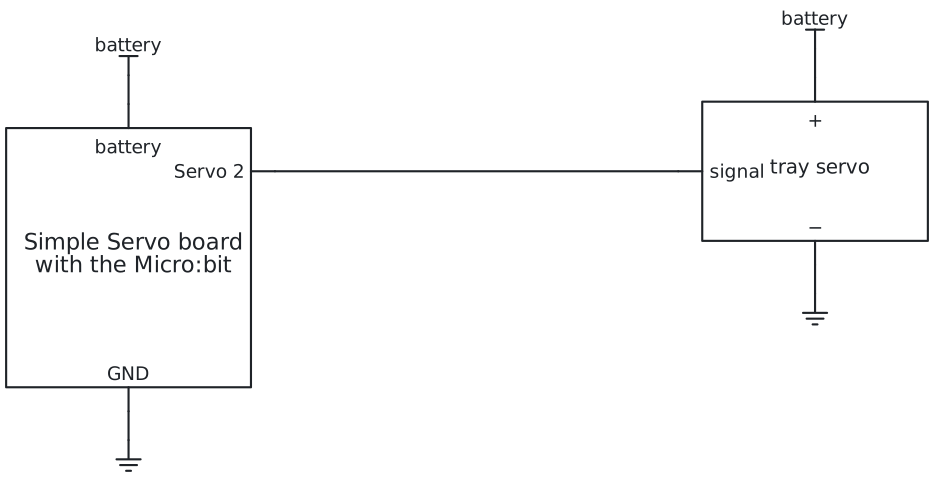
Story 3: Let it decideif, else if
Open the AI linkYour model from story 2, and a word when the answer changes.
The same in Python
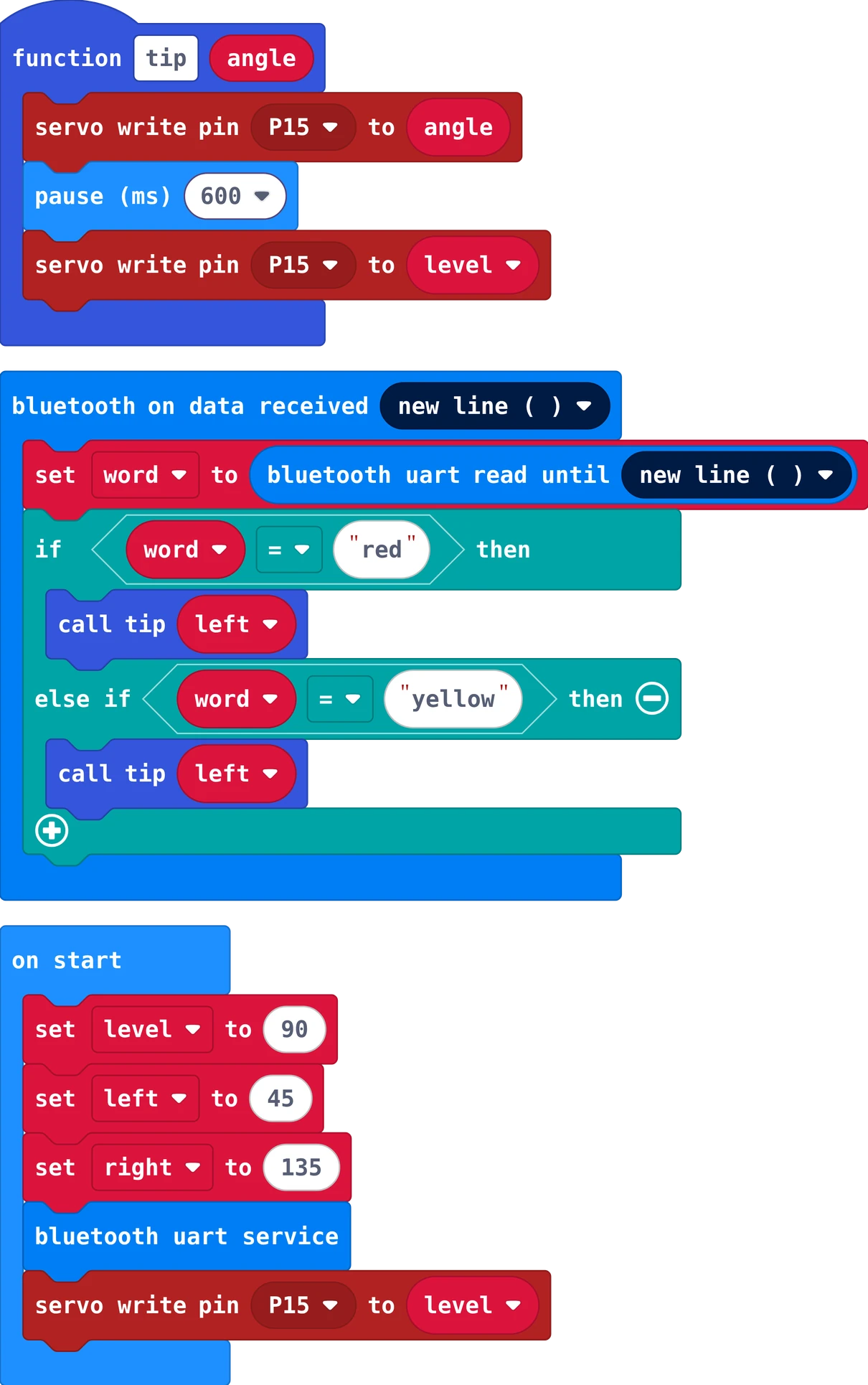
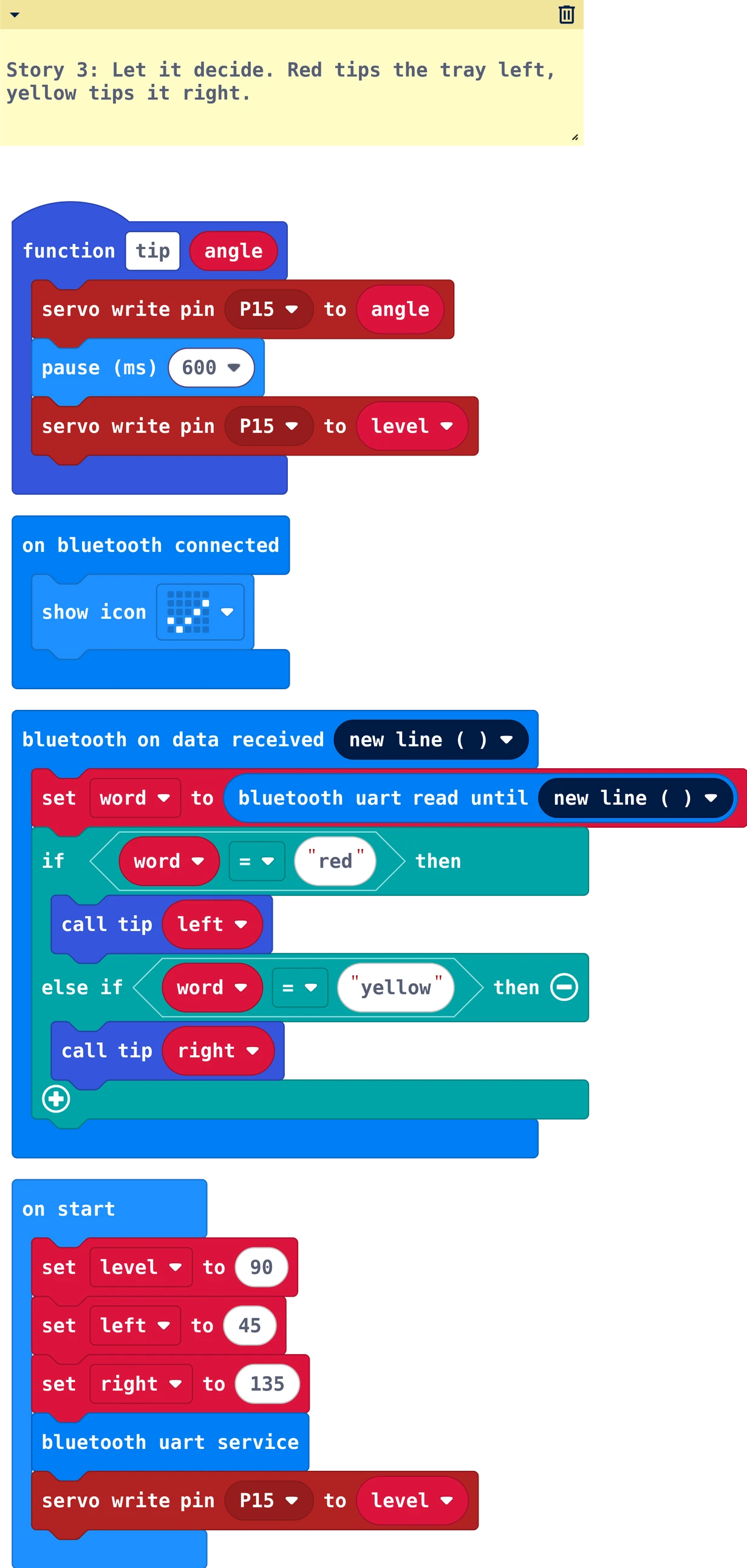
# Story 3: Let it decide. Red tips the tray left, yellow tips it right.
word = ""
level = 90
left = 45
right = 135
def tip(angle: number):
    pins.servo_write_pin(AnalogPin.P15, angle)
    basic.pause(600)
    pins.servo_write_pin(AnalogPin.P15, level)

def on_bluetooth_connected():
    basic.show_icon(IconNames.YES)
bluetooth.on_bluetooth_connected(on_bluetooth_connected)

def on_uart_data_received():
    global word
    word = bluetooth.uart_read_until(serial.delimiters(Delimiters.NEW_LINE))
    if word == "red":
        tip(left)
    elif word == "yellow":
        tip(right)
bluetooth.on_uart_data_received(serial.delimiters(Delimiters.NEW_LINE),
    on_uart_data_received)

bluetooth.start_uart_service()
pins.servo_write_pin(AnalogPin.P15, level)
// Story 3: Let it decide. Red tips the tray left, yellow tips it right.
#include <Servo.h>
#include <SoftwareSerial.h>

const int trayPin = 9;
const int level = 90;
const int left = 45;
const int right = 135;
Servo tray;
SoftwareSerial bluetooth(4, 2);   // pin 4 hears the HM-10's TXD, pin 2 talks to its RXD

void setup() {
  Serial.begin(9600);
  bluetooth.begin(9600);
  tray.attach(trayPin);
  tray.write(level);
}

void tip(int angle) {
  tray.write(angle);
  delay(600);
  tray.write(level);
}

void loop() {
  if (bluetooth.available()) {
    String word = bluetooth.readStringUntil('\n');
    word.trim();
    Serial.println(word);
    if (word == "red") {
      tip(left);
    } else if (word == "yellow") {
      tip(right);
    }
  }
}
Now the word decides: red tips left, yellow tips right. Put the beans on the tray by hand. The AI link only sends a
word when the model is sure enough and the answer stays the same for a few pictures.
Your turn: sort 20 beans. How many land in the wrong box?
Real worldReal sorting machines in factories sort rice, coffee beans and recycling with cameras and trained AI, many objects every second.
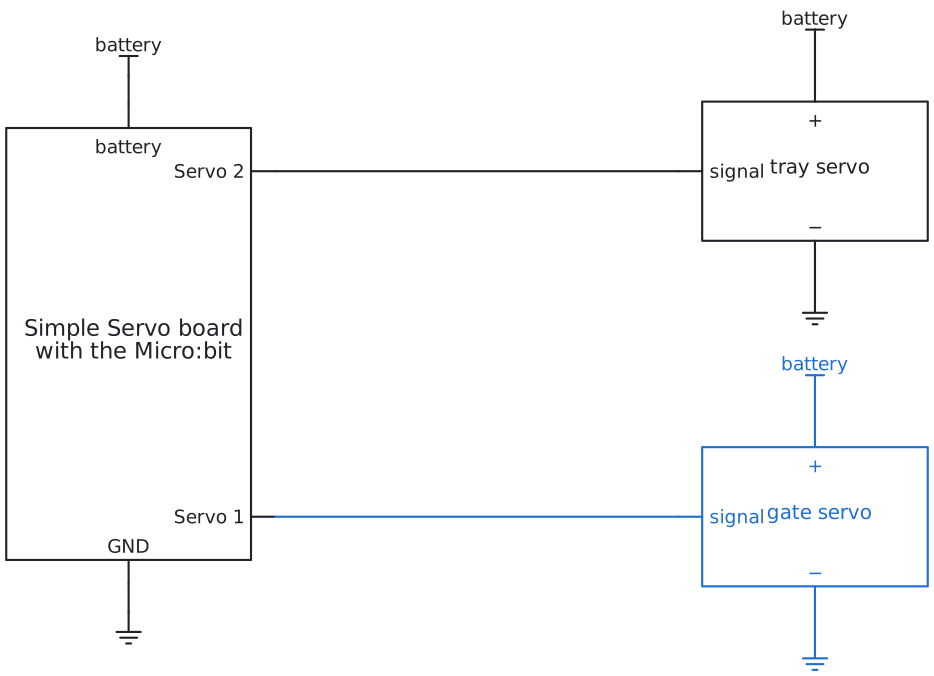
Story 4: One at a timea small state machine
Open the AI linkYour model from story 2. It answers when the board asks with ?: the button sets that for you.
The same in Python
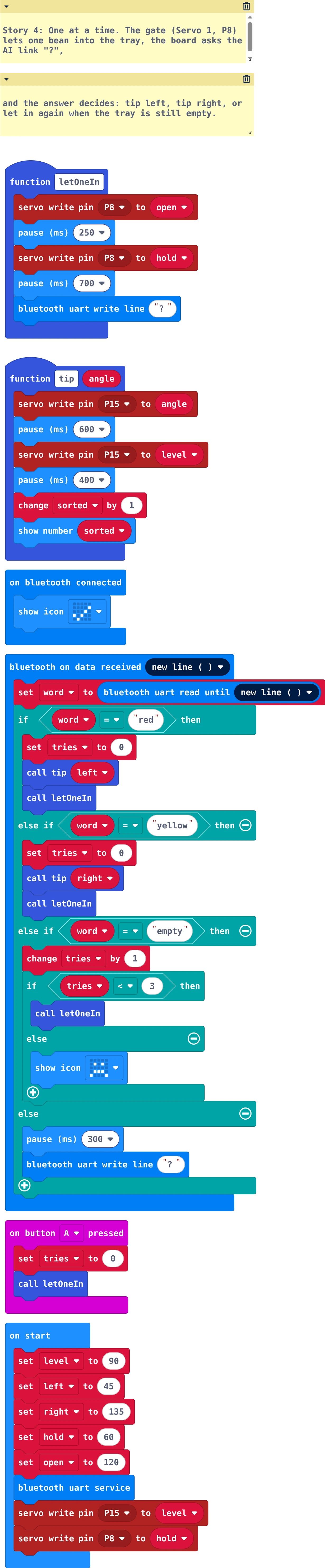
# Story 4: One at a time. The gate (Servo 1, P8) lets one bean into the tray, the board asks the AI link "?",
# and the answer decides: tip left, tip right, or let in again when the tray is still empty.
word = ""
level = 90
left = 45
right = 135
hold = 60
open2 = 120
sorted2 = 0
tries = 0
def letOneIn():
    pins.servo_write_pin(AnalogPin.P8, open2)
    basic.pause(250)
    pins.servo_write_pin(AnalogPin.P8, hold)
    basic.pause(700)
    bluetooth.uart_write_line("?")
def tip(angle: number):
    global sorted2
    pins.servo_write_pin(AnalogPin.P15, angle)
    basic.pause(600)
    pins.servo_write_pin(AnalogPin.P15, level)
    basic.pause(400)
    sorted2 += 1
    basic.show_number(sorted2)

def on_bluetooth_connected():
    basic.show_icon(IconNames.YES)
bluetooth.on_bluetooth_connected(on_bluetooth_connected)

def on_uart_data_received():
    global word, tries
    word = bluetooth.uart_read_until(serial.delimiters(Delimiters.NEW_LINE))
    if word == "red":
        tries = 0
        tip(left)
        letOneIn()
    elif word == "yellow":
        tries = 0
        tip(right)
        letOneIn()
    elif word == "empty":
        tries += 1
        if tries < 3:
            letOneIn()
        else:
            basic.show_icon(IconNames.SAD)
    else:
        basic.pause(300)
        bluetooth.uart_write_line("?")
bluetooth.on_uart_data_received(serial.delimiters(Delimiters.NEW_LINE),
    on_uart_data_received)

def on_button_pressed_a():
    global tries
    tries = 0
    letOneIn()
input.on_button_pressed(Button.A, on_button_pressed_a)

bluetooth.start_uart_service()
pins.servo_write_pin(AnalogPin.P15, level)
pins.servo_write_pin(AnalogPin.P8, hold)
// Story 4: One at a time. The gate lets one bean into the tray, the Arduino asks the AI link "?",
// and the answer decides: tip left, tip right, or let in again when the tray is still empty.
#include <Servo.h>
#include <SoftwareSerial.h>

const int trayPin = 9;
const int gatePin = 6;
const int level = 90;
const int left = 45;
const int right = 135;
const int hold = 60;
const int open = 120;
Servo tray;
Servo gate;
SoftwareSerial bluetooth(4, 2);   // pin 4 hears the HM-10's TXD, pin 2 talks to its RXD
int sorted = 0;
int tries = 0;

void setup() {
  Serial.begin(9600);
  bluetooth.begin(9600);
  tray.attach(trayPin);
  gate.attach(gatePin);
  tray.write(level);
  gate.write(hold);
  Serial.println("Type go to start");
}

void letOneIn() {
  gate.write(open);
  delay(250);
  gate.write(hold);
  delay(700);                        // let the bean roll in and lie still
  bluetooth.println("?");
}

void tip(int angle) {
  tray.write(angle);
  delay(600);
  tray.write(level);
  delay(400);
  sorted = sorted + 1;
  Serial.print("sorted: ");
  Serial.println(sorted);
}

void loop() {
  if (Serial.available()) {          // "go" in the Serial Monitor starts the machine
    String command = Serial.readStringUntil('\n');
    command.trim();
    if (command == "go") {
      tries = 0;
      letOneIn();
    }
  }
  if (bluetooth.available()) {
    String word = bluetooth.readStringUntil('\n');
    word.trim();
    if (word == "red") {
      tries = 0;
      tip(left);
      letOneIn();
    } else if (word == "yellow") {
      tries = 0;
      tip(right);
      letOneIn();
    } else if (word == "empty") {
      tries = tries + 1;
      if (tries < 3) {
        letOneIn();
      } else {
        Serial.println("Empty or stuck: check the hopper, then type go");
      }
    } else {                         // "unsure": look again
      delay(300);
      bluetooth.println("?");
    }
  }
}
Type go in the Serial Monitor to start.
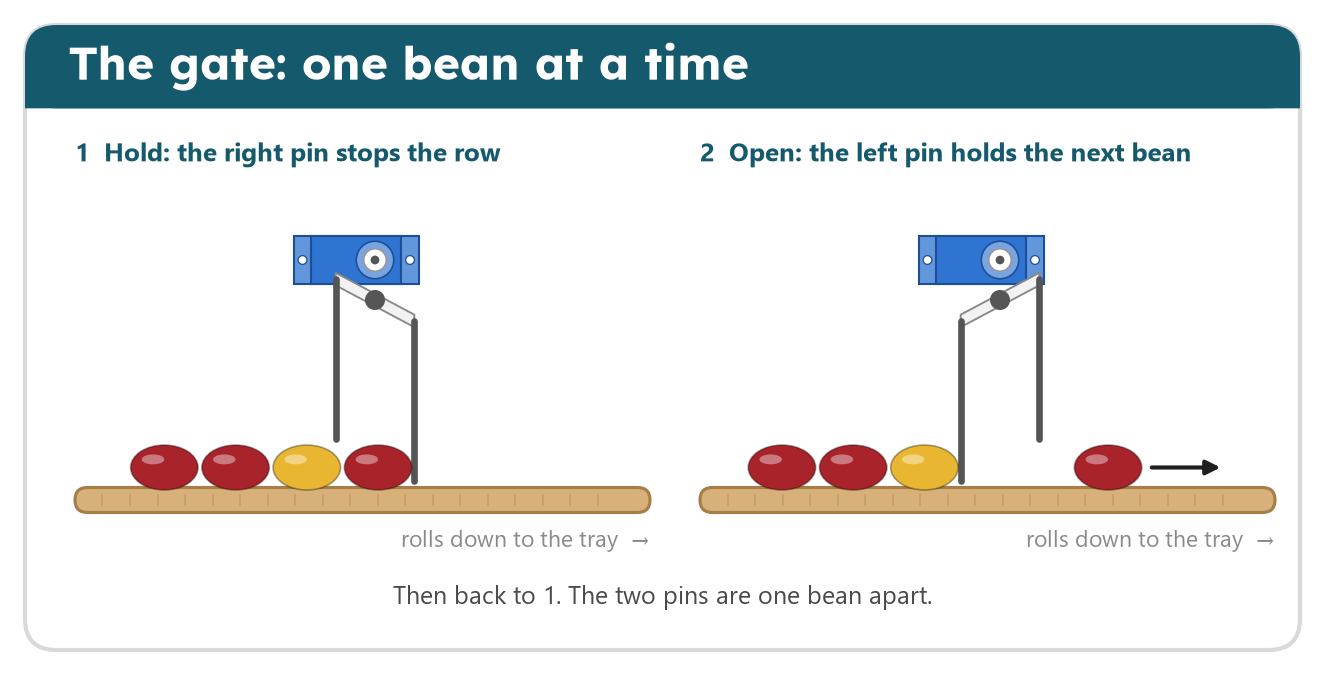
The AI link answers only when the board asks. The machine works in steps: let one bean in, wait until it lies
still, ask with ?, then tip and start again. If the tray is still empty, the gate moves again; after three
tries it stops, because the hopper is empty or a bean is stuck.
Your turn: how many beans can it sort in one minute? Which wait can you make shorter?
You firstDraw the steps on paper first: let one in, wait, ask, tip, start again. That is your state machine.
 START A BIT
 Scan to open