Story 1: Put your name in lightsyour first program
The same in Python
# Story 1: Put your name in lights. Type your own name; it scrolls once, then a smile stays.
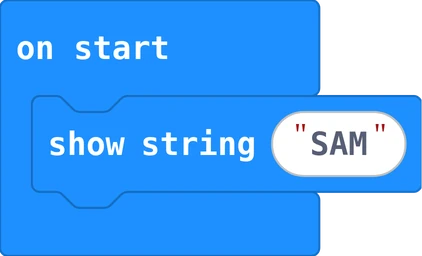
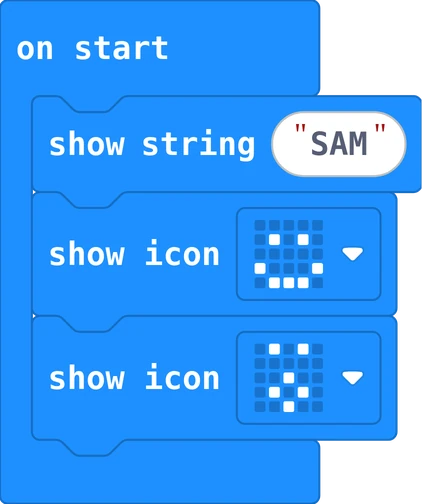
basic.show_string("SAM")
basic.show_icon(IconNames.HAPPY)
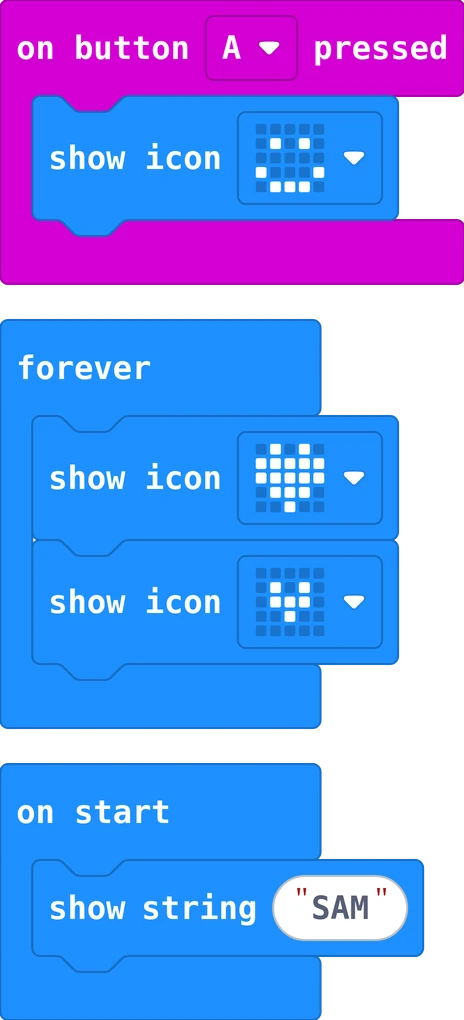
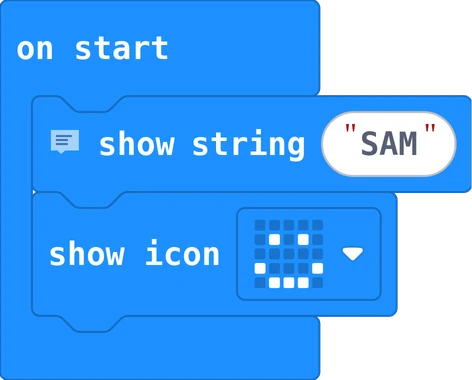
Put show string into on start and type your own name in the white field. Then add show
icon with a smile. Download it: your name scrolls past once, then the smile stays.
Your turn: press the reset button on the back of the Micro:bit. What happens, and why?
You firstYour first program is yours: drag the blocks yourself, type your own name, and download it. Ask the person next to you before you ask anything else.
Story 2: A face for each buttonevents
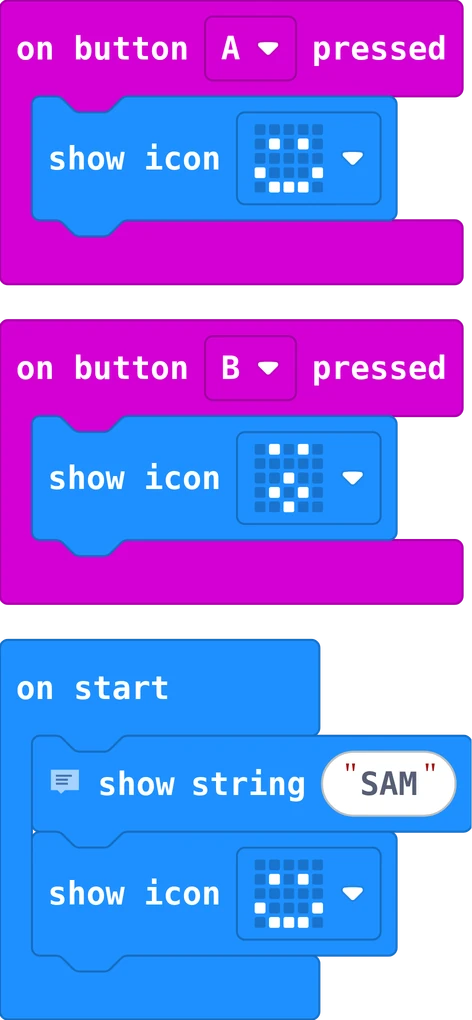
The same in Python
# Story 2: A face for each button. Choose your own faces.
basic.show_string("SAM")
basic.show_icon(IconNames.HAPPY)

def on_button_pressed_a():
    basic.show_icon(IconNames.HAPPY)
input.on_button_pressed(Button.A, on_button_pressed_a)

def on_button_pressed_b():
    basic.show_icon(IconNames.SURPRISED)
input.on_button_pressed(Button.B, on_button_pressed_b)
Drag on button A pressed from Input onto the empty space, and put a face inside. Do the same for
button B. These blocks wait: they run every time you press the button. Choose your own faces.
Your turn: which face shows how you feel today? Put it on button A.
Story 3: Make a heart beatanimation
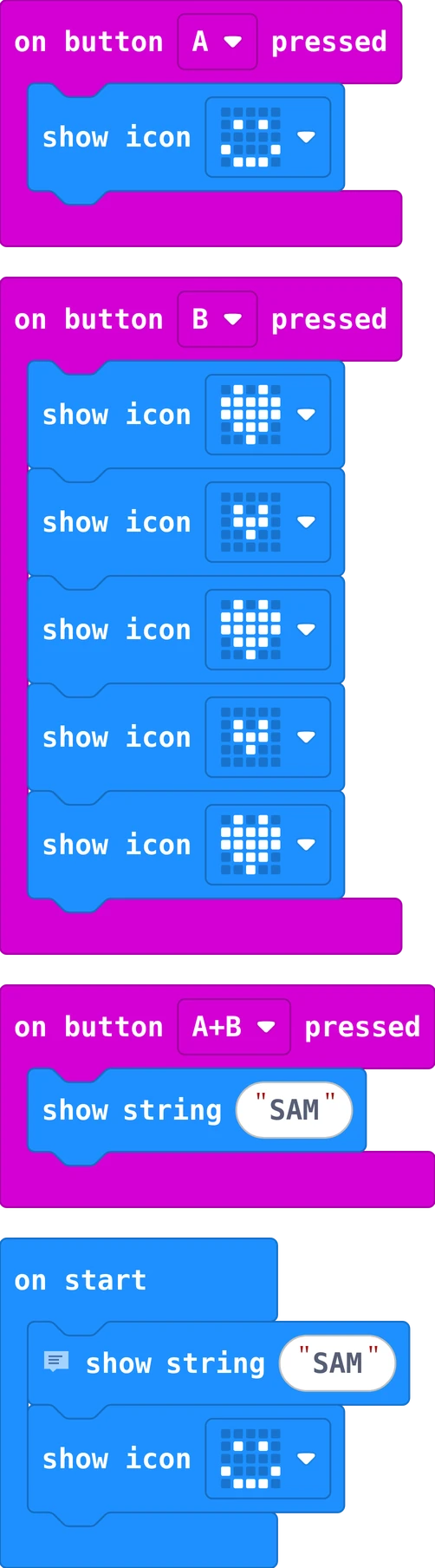
The same in Python
# Story 3: Make a heart beat. Button B shows big, small, big, small; A and B together show your name again.
basic.show_string("SAM")
basic.show_icon(IconNames.HAPPY)

def on_button_pressed_a():
    basic.show_icon(IconNames.HAPPY)
input.on_button_pressed(Button.A, on_button_pressed_a)

def on_button_pressed_b():
    basic.show_icon(IconNames.HEART)
    basic.show_icon(IconNames.SMALL_HEART)
    basic.show_icon(IconNames.HEART)
    basic.show_icon(IconNames.SMALL_HEART)
    basic.show_icon(IconNames.HEART)
input.on_button_pressed(Button.B, on_button_pressed_b)

def on_button_pressed_ab():
    basic.show_string("SAM")
input.on_button_pressed(Button.AB, on_button_pressed_ab)
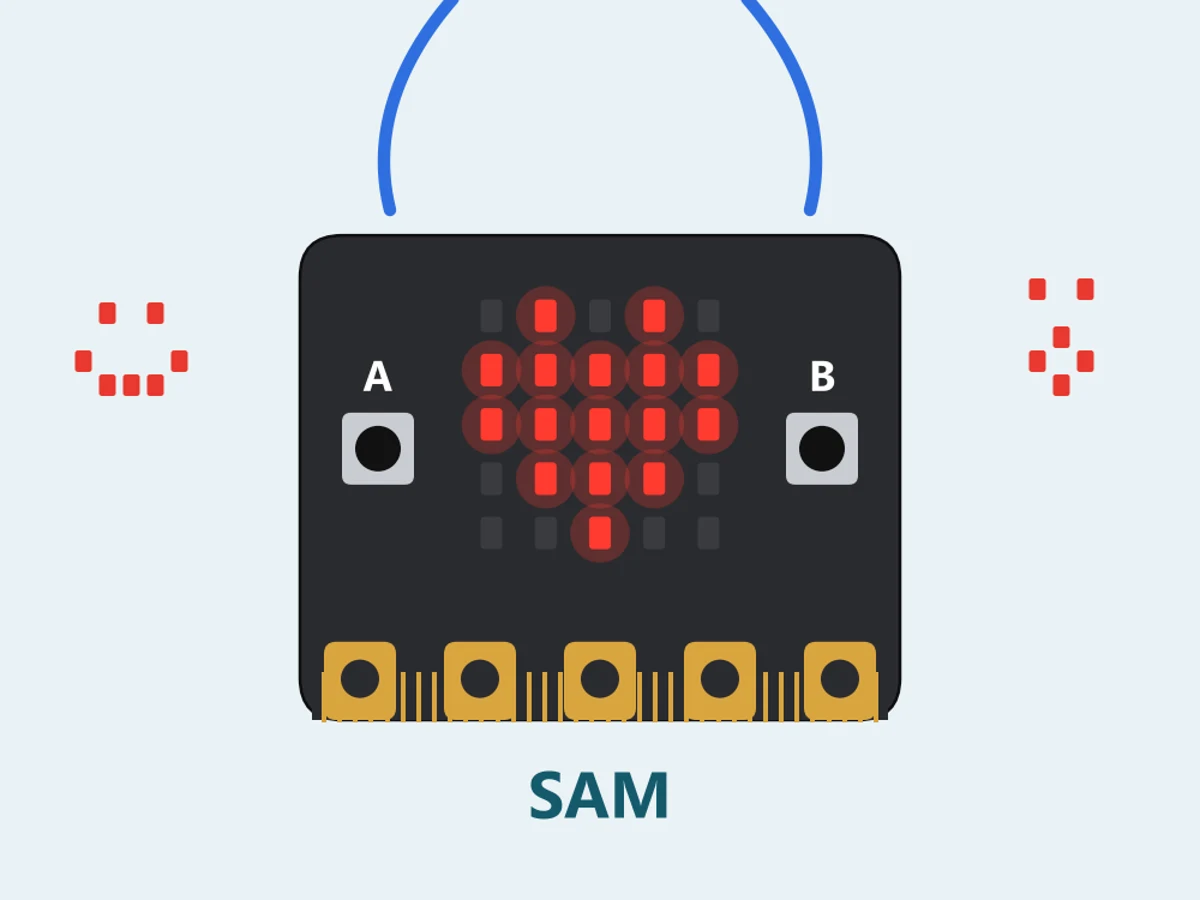
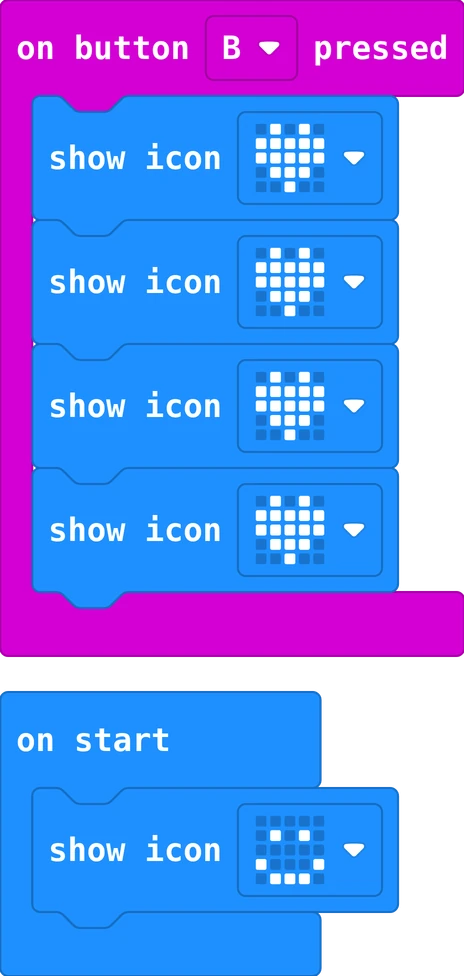
Button B now shows a big heart, a small heart, a big one, a small one: pictures that change quickly look like a
heart that beats. Each show icon waits a little before the next. Press A and B together to see your
name again.
Your turn: make the heart beat more times. Can you make it beat faster?
Real worldSmart watches and fitness bands show little pictures, hearts and numbers on a tiny screen, just like your badge: a program decides what to show and when.
Story 4: Shake for a secretthe shake sensor
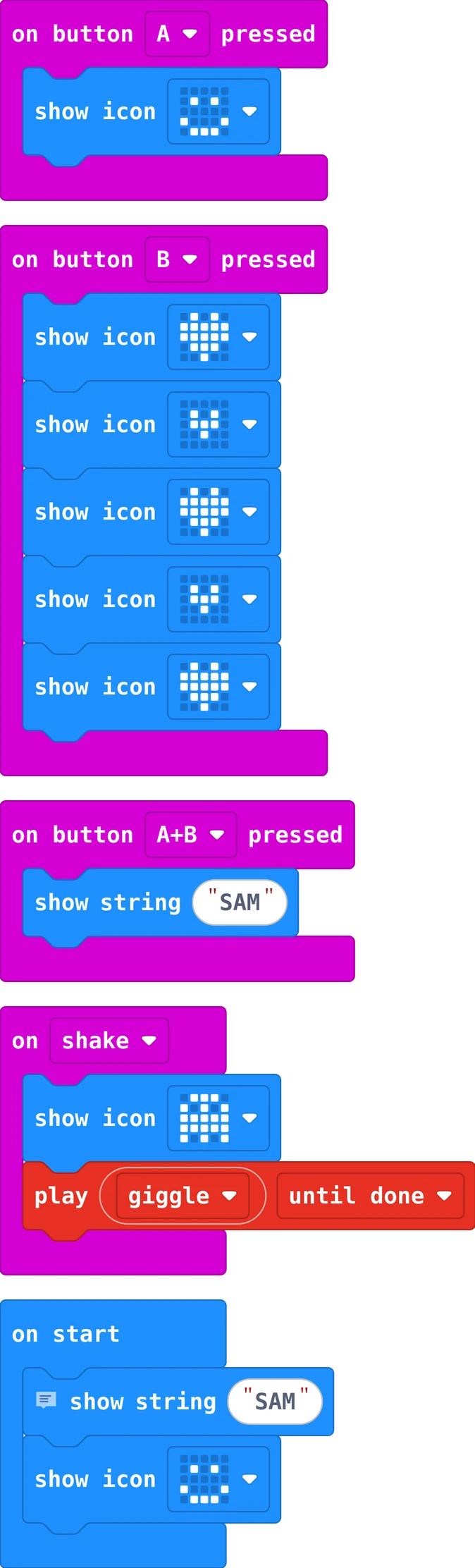
The same in Python
# Story 4: Shake for a secret. Shake the badge: a secret picture and a giggle.
basic.show_string("SAM")
basic.show_icon(IconNames.HAPPY)

def on_button_pressed_a():
    basic.show_icon(IconNames.HAPPY)
input.on_button_pressed(Button.A, on_button_pressed_a)

def on_button_pressed_b():
    basic.show_icon(IconNames.HEART)
    basic.show_icon(IconNames.SMALL_HEART)
    basic.show_icon(IconNames.HEART)
    basic.show_icon(IconNames.SMALL_HEART)
    basic.show_icon(IconNames.HEART)
input.on_button_pressed(Button.B, on_button_pressed_b)

def on_button_pressed_ab():
    basic.show_string("SAM")
input.on_button_pressed(Button.AB, on_button_pressed_ab)

def on_gesture_shake():
    basic.show_icon(IconNames.GHOST)
    music.play(music.builtin_playable_sound_effect(soundExpression.giggle),
        music.PlaybackMode.UNTIL_DONE)
input.on_gesture(Gesture.SHAKE, on_gesture_shake)
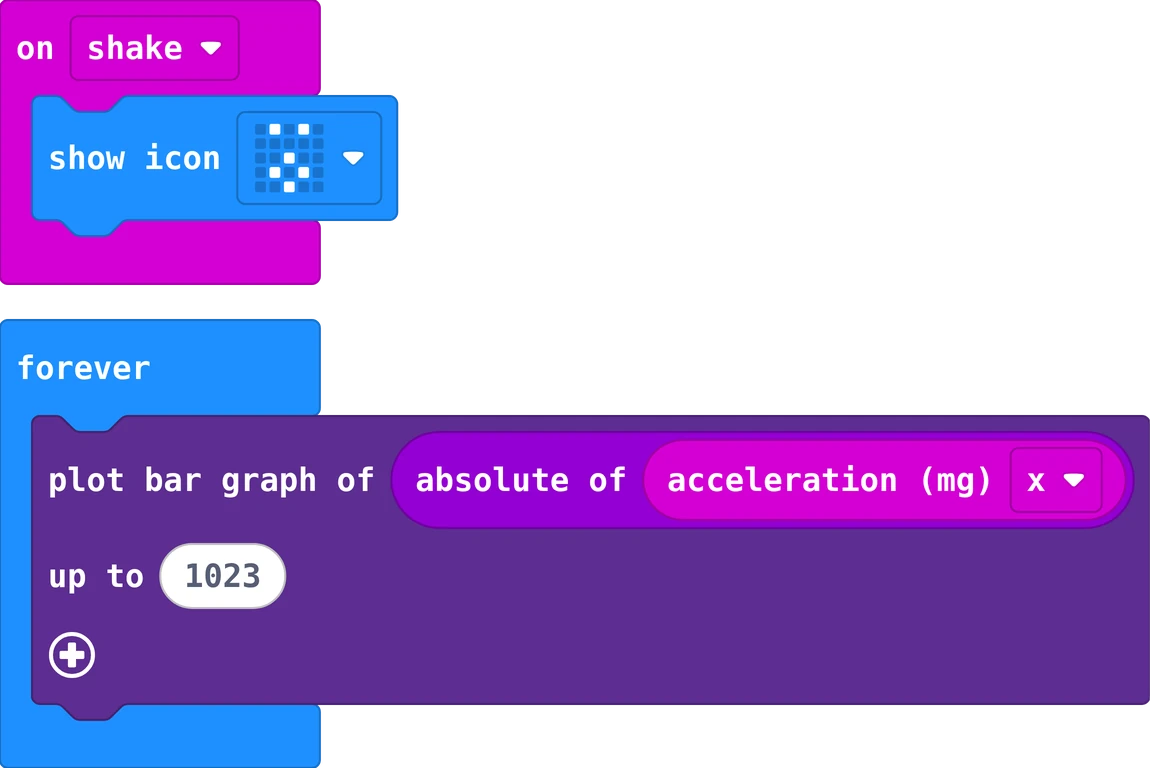
The Micro:bit can feel when it moves. Drag on shake from Input and put a secret picture and a
sound inside: the play giggle block is in Music. Only someone who shakes your badge finds the
secret.
Your turn: show your badge to someone. Do they find the secret?
 START A BIT
 Scan to open