START A BIT
Programmable car: Micro:bit and 2 servo wheels
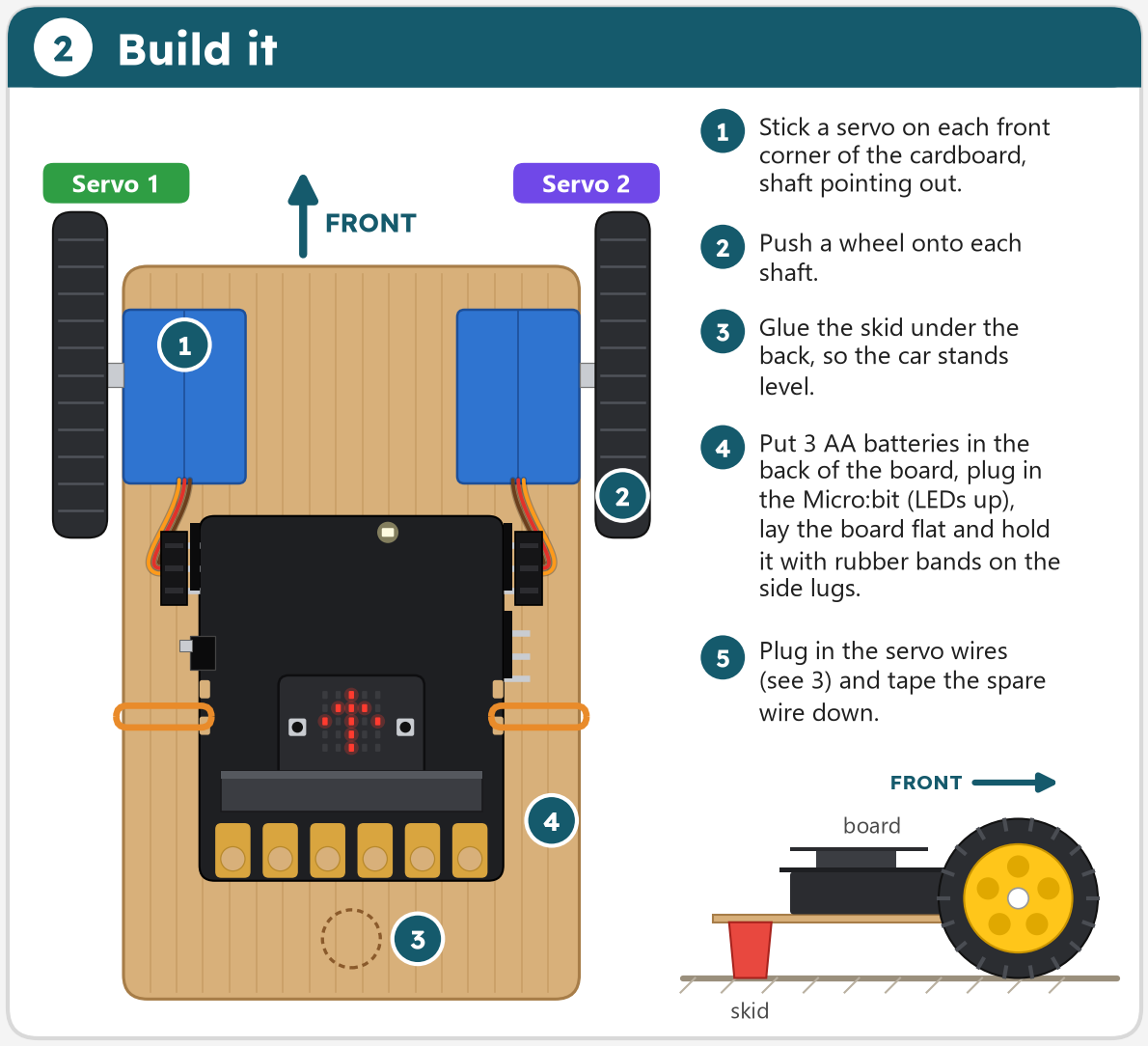
Build a small car from cardboard, two 360° servos and the Kitronik Simple Servo board, then program it in MakeCode.
Build a small car from cardboard, two 360° servos and the Kitronik Simple Servo board, then program it in MakeCode.
 Scan to open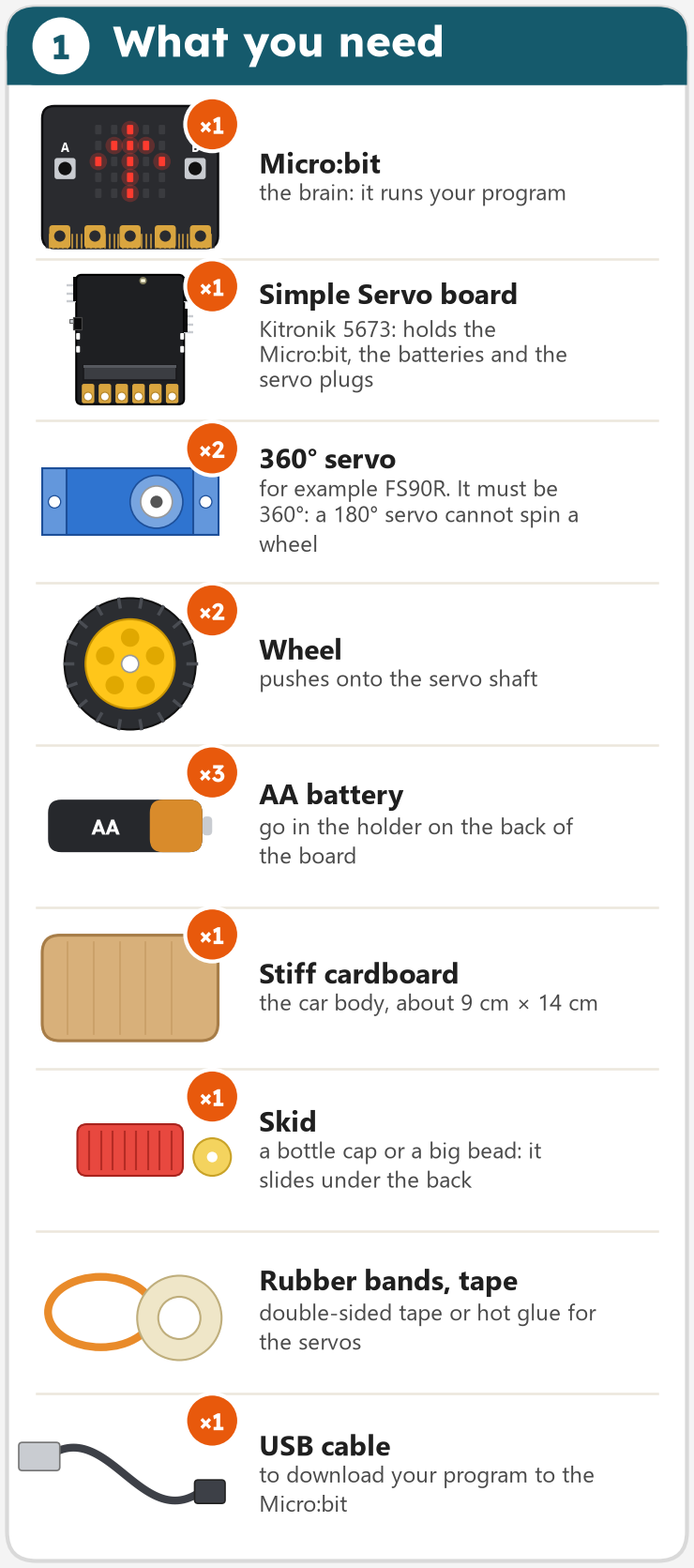
Most parts are cheap or come from the recycling box. Check the servos: they must be 360° (continuous rotation), for example FS90R. A normal 180° servo stops after half a turn and cannot drive a wheel.
This is not a first project: you should already know how to make a MakeCode program and download it to a Micro:bit.
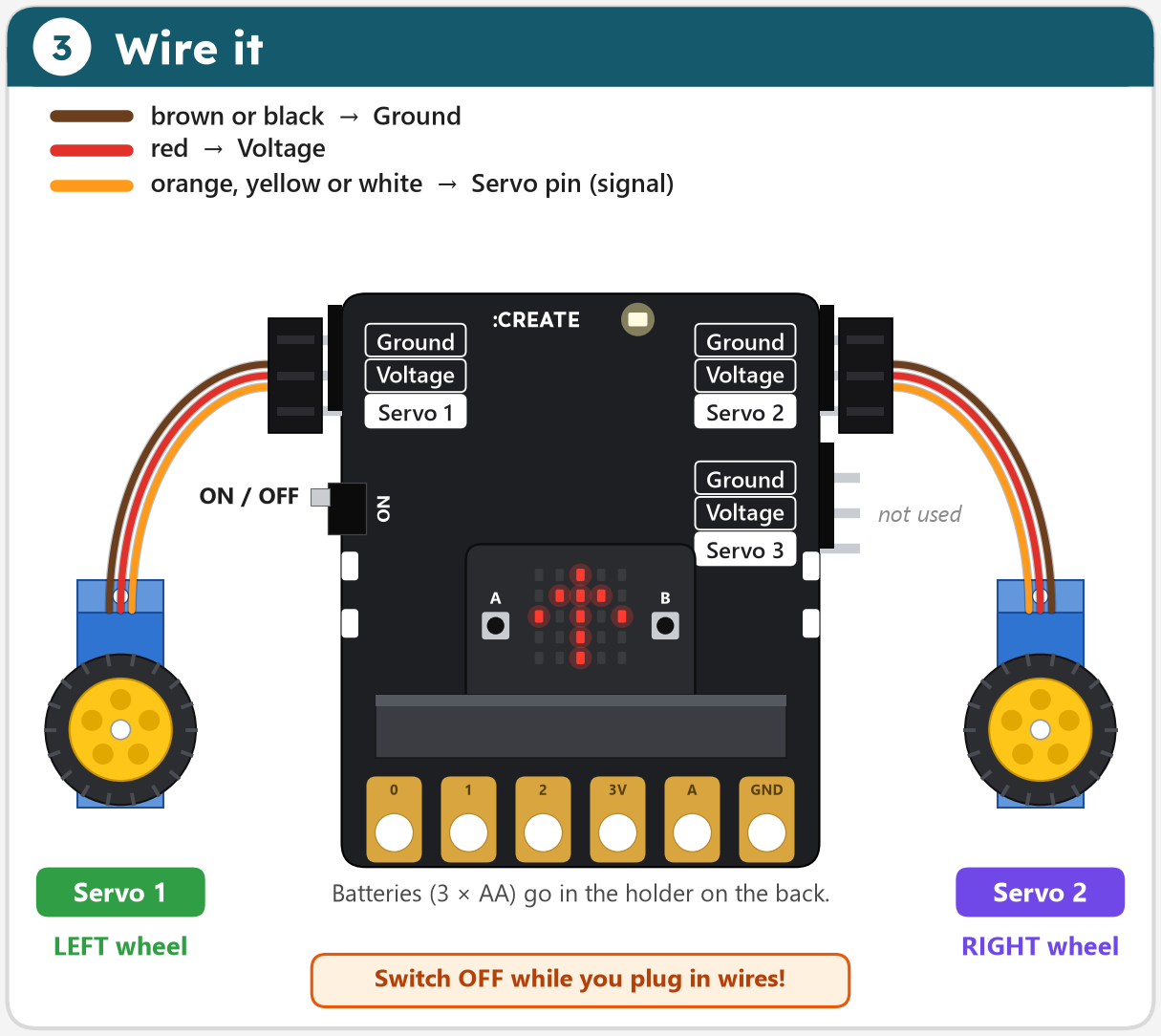
Each servo plug has three wires. The darkest wire (brown or black) goes on Ground, at the top of the header. Switch the board OFF while you plug in wires.
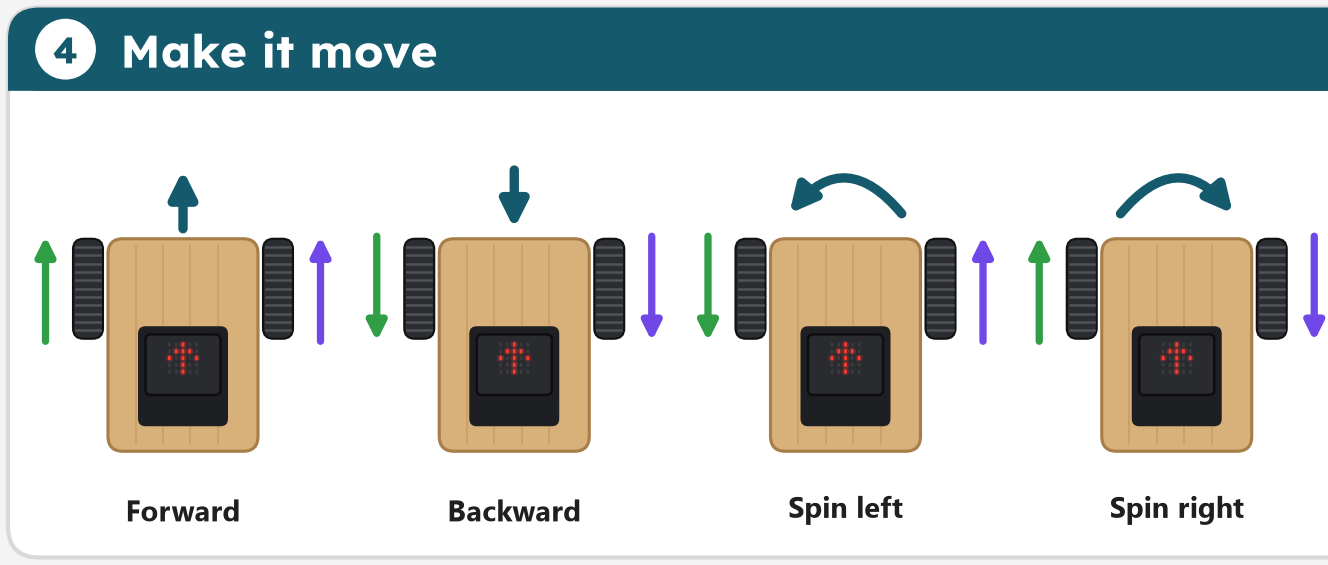
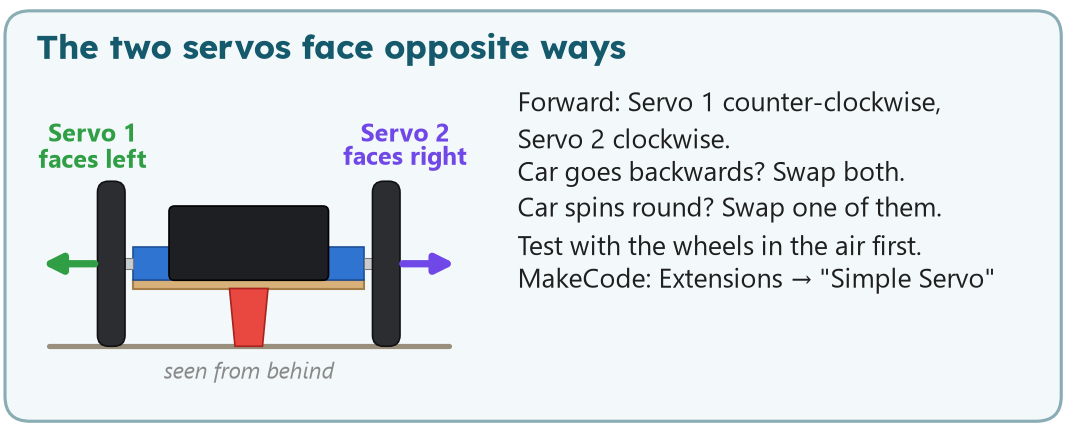
Try it before you build: set the two servo blocks and watch what the car does. Scroll to zoom, drag to move. Tick Real servos to see why a real car never drives perfectly straight.
The step-by-step tutorial opens in MakeCode with the Simple Servo blocks already loaded. MakeCode shows the same program as Blocks or as Python: switch with the buttons at the top of the editor.
In MakeCode, add the extension first: Extensions, search Simple Servo. Its blocks appear in the green Servo drawer.
The finished program is here too. Try it yourself first; if you are really stuck, ask your teacher for the code.
Next step, real Python: servo_car.py does the same in MicroPython, the Python that runs on the Micro:bit itself. Open it in python.microbit.org and download it to the Micro:bit.
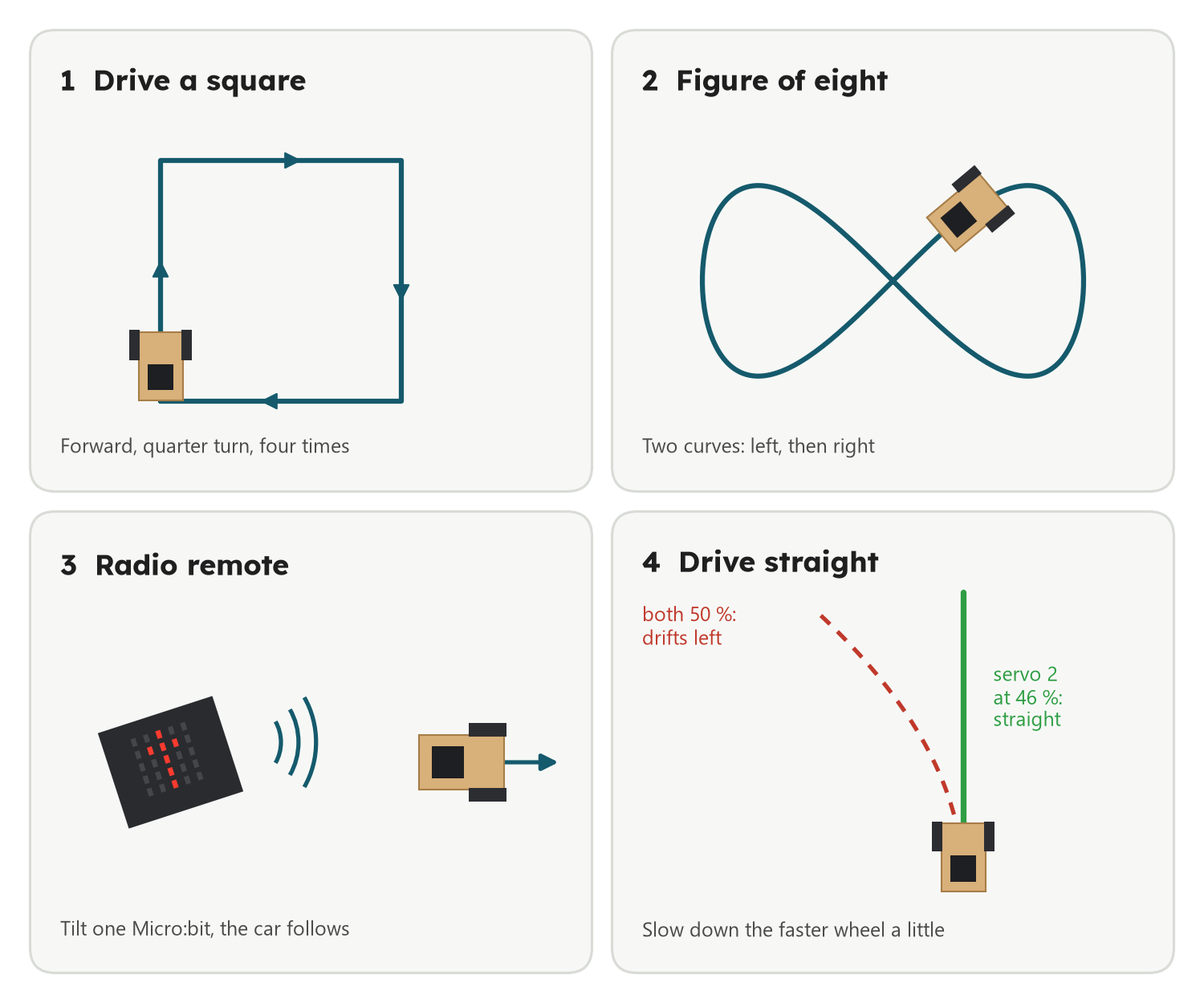
Done already? Try these, and test each idea in the simulator first.