 START A BIT
Push button
The button has four legs. It sits across the middle gap: the two legs on the left side are always connected (purple column), and so are the two on the right (black column). Pressing the button connects the left side to the right side.
One side to a pin, the other side to GND. With pull up, the pin reads 1, and 0 while pressed.
More: pull up, and the program
A pin connected to nothing reads random values. Pull up connects it inside the board to + through a big resistor: it reads 1 while the button is free. Pressing connects the pin to GND, and it reads 0. That is why the program checks for 0.
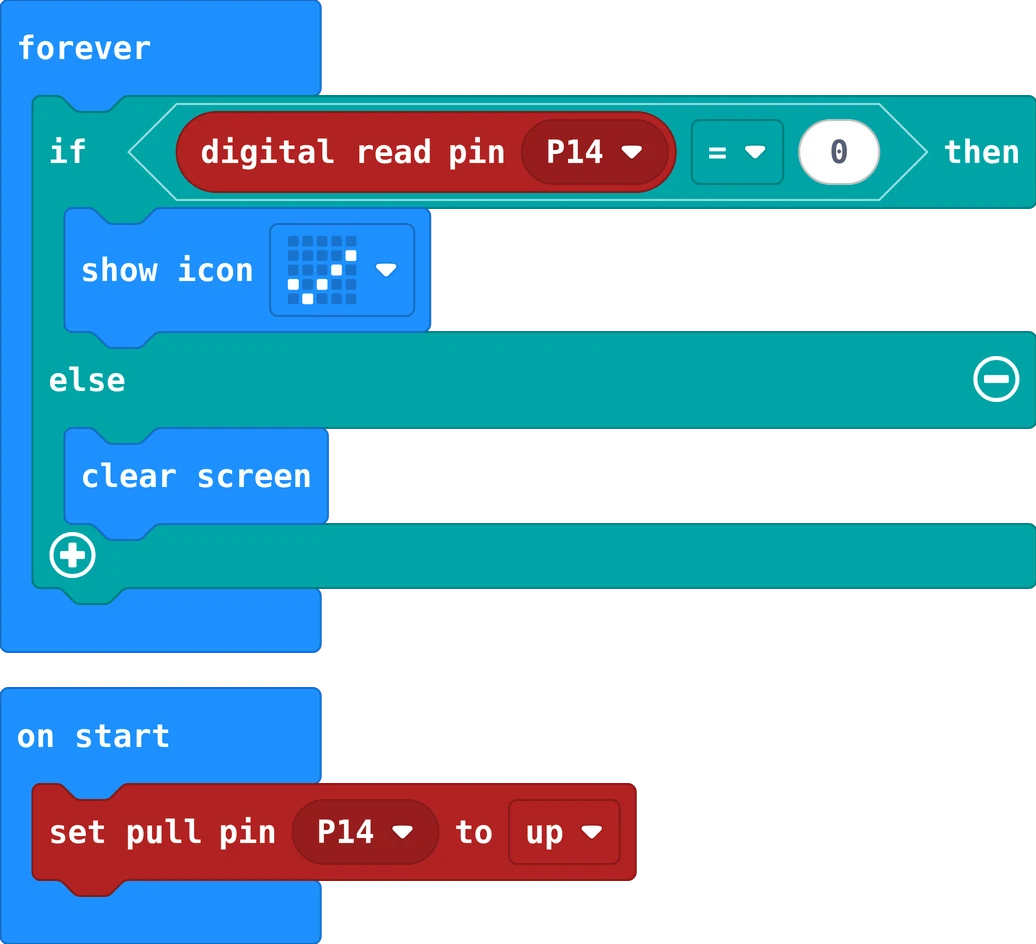
The same in Python
pins.set_pull(DigitalPin.P14, PinPullMode.PULL_UP)

def on_forever():
    if pins.digital_read_pin(DigitalPin.P14) == 0:
        basic.show_icon(IconNames.YES)
    else:
        basic.clear_screen()
basic.forever(on_forever)
void setup() {
  pinMode(7, INPUT_PULLUP);           // 1 (HIGH) when free, 0 (LOW) when pressed
  pinMode(LED_BUILTIN, OUTPUT);
}

void loop() {
  if (digitalRead(7) == LOW) {
    digitalWrite(LED_BUILTIN, HIGH);  // pressed: the board's own LED lights
  } else {
    digitalWrite(LED_BUILTIN, LOW);
  }
}