 START A BIT
Addressable LEDs
Every LED on the strip has a tiny chip and a number, its address: 0 is next to the wires. One data wire tells each LED its own colour. Other names: NeoPixel, WS2812B, ZIP LEDs.
Three wires: red for +, yellow for the data (DIN), black for GND. The small arrows on the strip show the way the data travels: connect your board where they start.
Change the colours in the program, then show: nothing changes until the program sends them.
More: how the data travels, power, and the key blocks
One data wire for all LEDs
Not every LED strip works like this. In a simple strip all LEDs share the same wires, so they all show the same colour. In an addressable strip the board sends a long row of bits on the yellow wire: 24 bits for each LED, 8 for green, 8 for red and 8 for blue. 8 bits give a number from 0 to 255, so each LED can show 256 × 256 × 256, about 16.7 million colours.
The first chip keeps the first 24 bits and passes everything else on through DO. The second chip keeps the next 24 bits, and so on. So the position in the row is the LED's address, even with many strips plugged together. The bits travel at 800,000 per second: 10 LEDs get their colours in about 0.3 milliseconds.
Power
Each of the three colours takes about 20 mA at full brightness. One LED on white: 60 mA. One strip of 10 LEDs on white: 600 mA, and every extra strip adds 600 mA. The Micro:bit can give the strips roughly 200 mA, an Arduino on USB about 500 mA, so a brightness of 40 out of 255 is a good limit.
Brightness does not send less data: the program makes every colour number smaller before it sends it.
See the bits travel
Click Send the next 24 bits and watch which LED keeps which bits.
The key blocks and functions
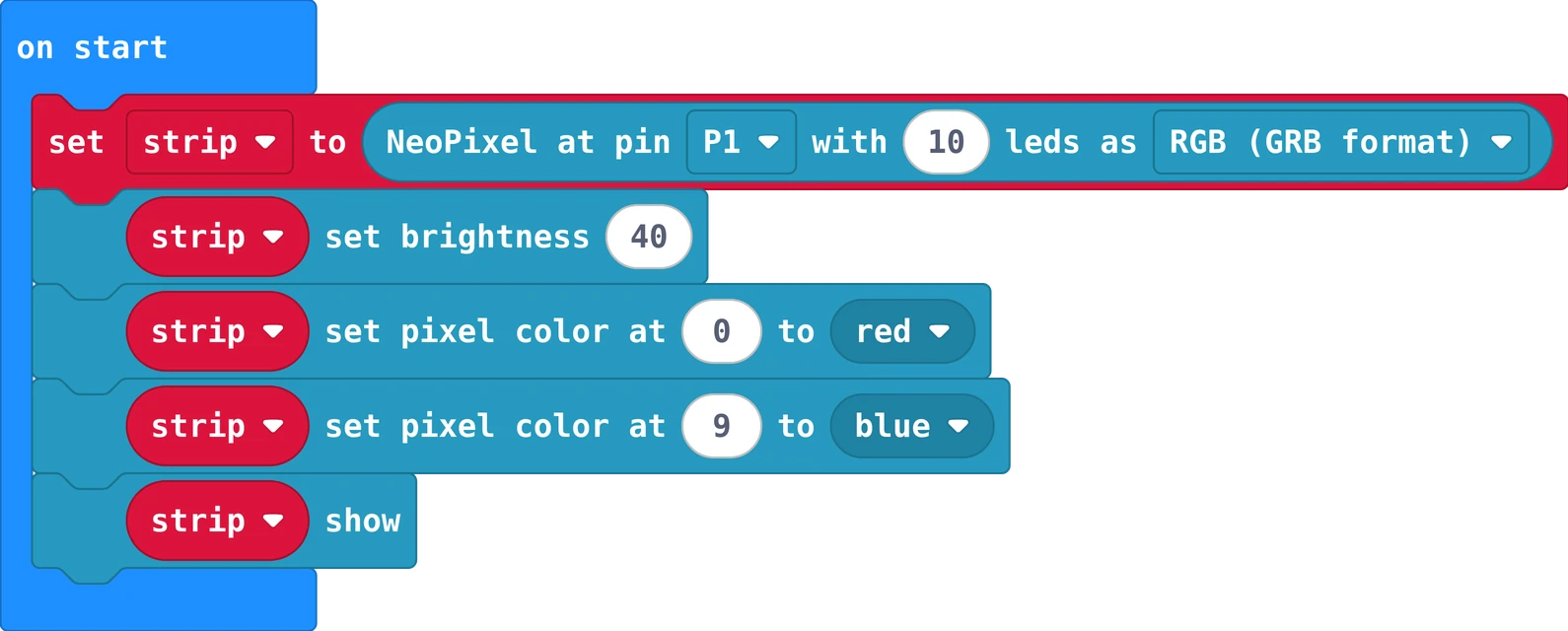
The same in Python
strip = neopixel.create(DigitalPin.P1, 10, NeoPixelMode.RGB)
strip.set_brightness(40)
strip.set_pixel_color(0, neopixel.colors(NeoPixelColors.RED))
strip.set_pixel_color(9, neopixel.colors(NeoPixelColors.BLUE))
strip.show()
MakeCode: Extensions, search neopixel. LED 0 turns red and LED 9 blue.
#include <Adafruit_NeoPixel.h>
Adafruit_NeoPixel strip(10, 6, NEO_GRB + NEO_KHZ800);   // 10 LEDs on pin 6

void setup() {
  strip.begin();
  strip.setBrightness(40);
  strip.setPixelColor(0, strip.Color(255, 0, 0));       // LED 0: red
  strip.setPixelColor(9, strip.Color(0, 0, 255));       // LED 9: blue
  strip.show();                                         // send the colours
}

void loop() {
}
Library: Adafruit NeoPixel (Tools, Manage Libraries).